Getty Images Coupon - Get Free Access to Getty Images for Talking Head Videos


Looking for a Getty Images coupon to save on premium stock footage? What if you could access Getty Images for free instead?
With 89% of businesses using video marketing and social videos generating 1200% more shares than text and images, high-quality visuals are a must. But Getty’s pricing can be steep.
Getty Images offers top-tier visuals, but they come at a high price. What if you could access them for free?
With Jupitrr AI, you can easily add premium Getty Images to your Talking Head videos—no extra cost. Keep reading to learn how, plus get an exclusive 10% discount! 🚀
Why Getty Images Are Essential for Professional Talking Head Videos?
Stock images and videos can elevate your content by:
✅ Making videos more visually appealing
✅ Adding credibility and professionalism
✅ Saving time on custom photography or filming
✅ Enhancing storytelling with relevant visuals
However, buying stock images individually from Getty can be costly. That’s where Jupitrr AI comes in—it gives you free access to Getty Images inside its platform. Let’s dive into how it works.
How to Get Getty Images for Free with Jupitrr AI
Jupitrr AI is an AI-powered video editing tool designed for creators who want to make professional talking head videos effortlessly. It helps users generate engaging video content with minimal effort by providing access to high-quality stock images and videos, including premium Getty Images.
How Jupitrr AI Makes Getty Images Free
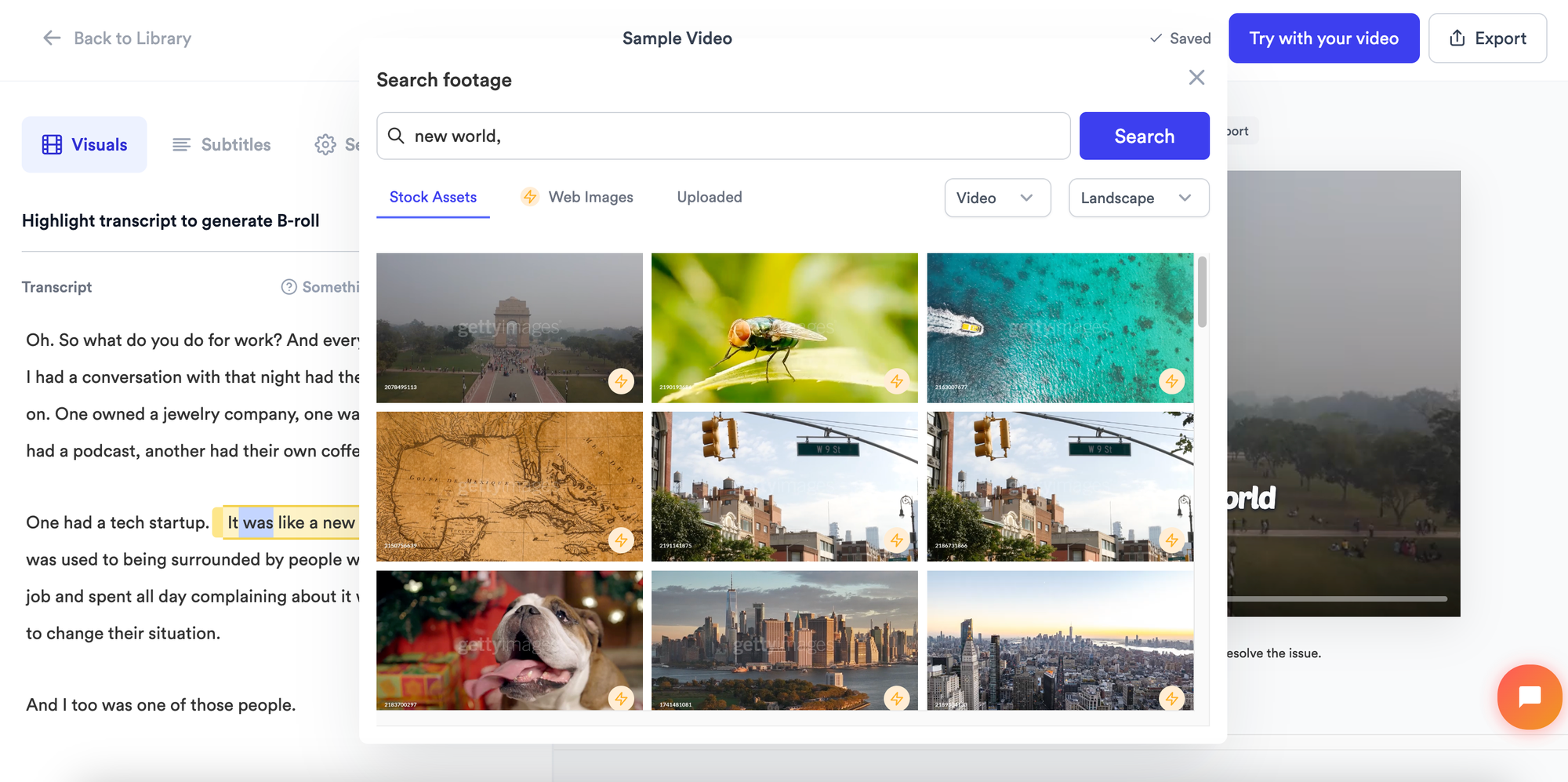
Most platforms require you to purchase Getty assets separately, but Jupitrr AI integrates Getty’s premium library directly into its editor. This means you can browse, select, and insert Premium Getty images into your video without additional charges—a game-changer for content creators.
Who Should Use Jupitrr AI?
- Marketers & Social Media Managers – Create eye-catching content that grabs attention.
- Educators & Course Creators – Enhance learning materials with professional visuals.
- Business Owners – Use premium stock visuals for ads, presentations, and social media.
- YouTubers & Content Creators – Make your talking head videos stand out without spending on stock footage.
Step-by-Step Guide to Adding Getty Images for Free in Your Talking Head Videos
Follow these simple steps to access premium Getty Images for free using Jupitrr AI:
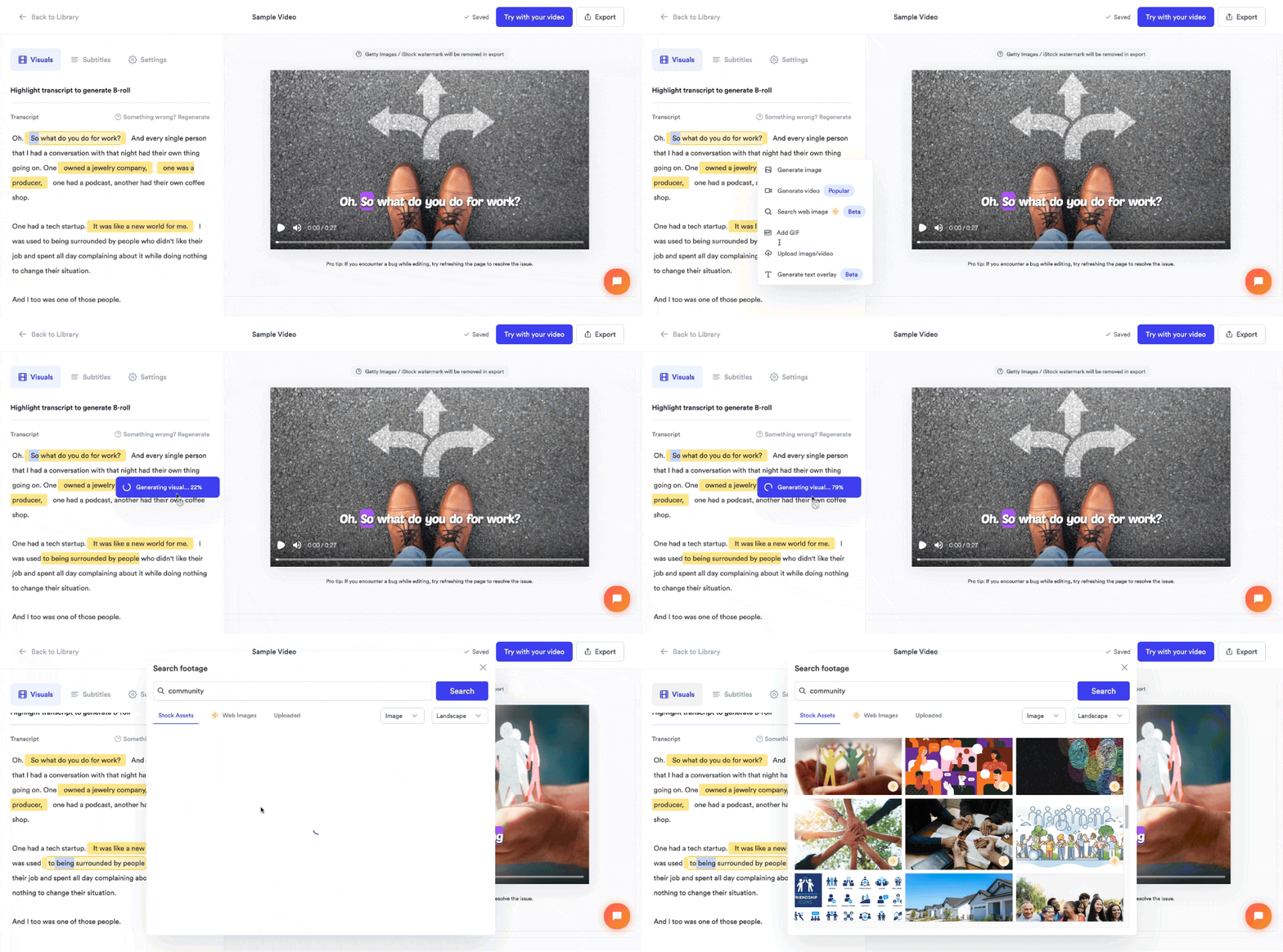
1. Upload Your Video to Jupitrr AI
Start by uploading your video footage to Jupitrr AI. You can upload clips from your computer or use Jupitrr’s AI tools to generate content from scratch.
2. Choose Where to Insert a Getty Image or Video
Decide which part of your video needs an extra visual boost. Whether it’s a transition, intro, or background clip, you can place a Getty Image wherever you need.
3. Click "Generate Image" or "Generate Video"
Jupitrr AI offers built-in access to Getty and Shutterstock’s massive stock libraries. Click the “Generate” button to browse high-quality visuals.
4. Browse and Select from Getty Images
Search for the perfect stock image or video clip from Getty’s premium collection. Choose an image that fits your content and insert it directly into your video.
5. Edit and Customize Your Visuals
Resize, crop, or apply filters to ensure the image matches your video’s style. Adjust placements for a seamless fit.
6. Export Your Video Without Watermarks
During editing, you might see watermarks on Getty Images. But once you export your video, the watermark disappears, giving you a clean, professional result.
⚠ Note: If you’re on Jupitrr AI’s Free Plan, you’ll need to upgrade to the Creator Plan to access Getty’s premium asset library.
Why Jupitrr AI is a Game-Changer for Content Creators
1. Saves Money on Stock Images
Normally, purchasing Getty Images individually costs anywhere from $50 to $500 per image or video clip. With Jupitrr AI, you can access thousands of premium Getty visuals for free inside your video projects.
2. Speeds Up Video Creation
Finding and inserting stock visuals manually can be time-consuming. Jupitrr AI integrates stock assets directly, allowing you to complete videos in minutes rather than hours.
3. No Copyright Issues
Using unlicensed images from the internet can get you into legal trouble. Since Jupitrr AI legally provides access to Getty Images, you don’t have to worry about copyright violations.
4. AI-Powered Editing Features
Beyond just stock images, Jupitrr AI offers features like:
✅ Automatic subtitle generation
✅ AI voiceovers
✅ Smart video editing suggestions
This makes video creation much easier, even for beginners.
Exclusive Discount Coupon for Getty Images: Get 10% Off Jupitrr AI Subscription
If you want to unlock premium Getty Images and AI-powered video tools, now is the best time!
Use promo code: WELCOM10 at checkout to save 10% on your Jupitrr AI subscription.
🔹 This discount applies to all paid plans, giving you unlimited access to Getty Images and other premium features.
Final Thoughts
Getting access to high-quality Getty Images for free is now easier than ever, thanks to Jupitrr AI. Instead of spending hundreds of dollars on stock assets, you can use premium visuals in your videos without extra costs.
💡 Here’s what you need to do next:
✅ Sign up for Jupitrr AI.
✅ Start a new video project and browse Getty Images.
✅ Export your video without watermarks.
✅ Use promo code "GET10JUP" to save on your subscription