How to Share a Podcast on Instagram: Stories, Posts, and Clips
Do not directly post the Podcast Cover or Link onto Instagram. Instead, turn audio into video with Audiogram Videos with online tools.

Podcasts are one of the fastest-growing mediums for content creation and consumption. Creators often wonder how to share a podcast on Instagram, whether as posts, stories, or clips.
Research projects that Podcast Market will reach $87 Billion by 2028.

According to a report by Wondery, a leading podcast producer and network, the number of podcast listeners who prefer video has increased by 11% since 2019.
🖐🏻 Wait... how to actually share a podcast on Instagram posts or stories?
In this blog, we'll explore why you should share podcasts on Instagram, what you should not do, and how to do it right.
Why You Should Share Podcasts on Instagram?
💁♀️ Reach a Wider Audience
It is extremely hard to consistently get new audience on platforms like Spotify. Meanwhile, Instagram has over 1 billion monthly active users, making it a powerful platform for podcast promotion. Get new listeners on Instagram who may not have discovered it otherwise. Sharing podcast clips can grab attention and encourage users to explore the full episode.
🕶️ Visual Appeal
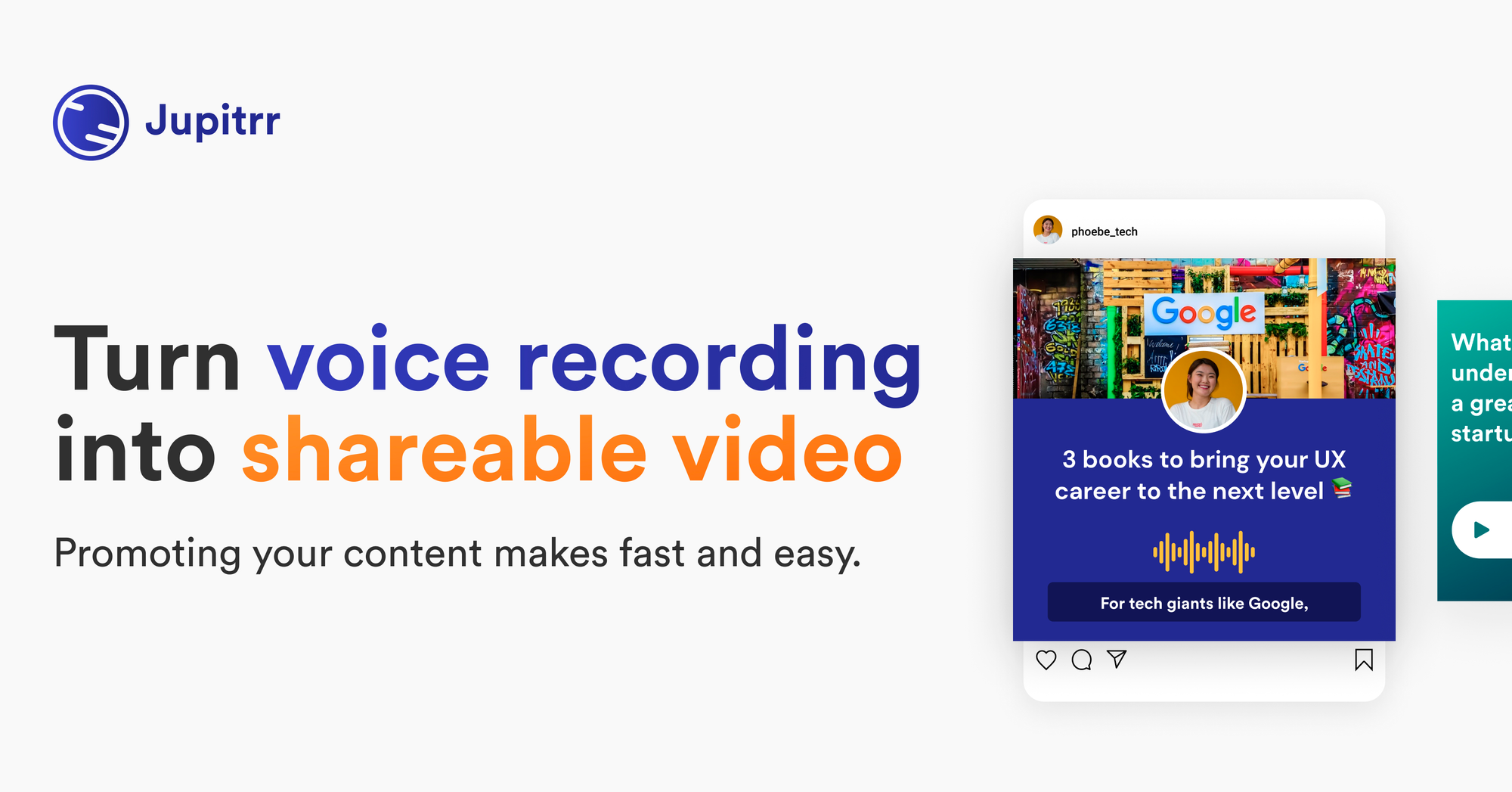
Make audiograms for Instagram. Audiograms are short, animated videos that feature a snippet of your podcast audio, along with a waveform visualization and captions. They are visually appealing and engaging, making them more likely to grab the attention of Instagram users. We will explain more later in the article.

🗣️ Increase Engagement
Sharing your podcast on Instagram can also help increase engagement with your audience. Encouraging listeners to share their thoughts and feedback on your podcast in the comments section fosters a sense of community and builds a stronger relationship with your audience.
Understanding how to share a podcast on Instagram story is crucial to tapping into Instagram's billion-plus audience.
How to Share a Podcast on Instagram Stories
Instagram stories are a great way to share your podcast with your audience. It is also easy to do so.
Sharing Spotify podcasts is one of the easiest methods to learn how to share a podcast on Instagram story directly.
If your podcast is available on Spotify, then:
- Go to Spotify
- Open the Podcast episode you want to share
- Open more options by clicking on the ellipsis symbol (three dots)
- Click on Share
- Click on "Stories"
- Add or edit details like background, text, etc.
- Click on "Your stories"
Your podcast will be shared on your Instagram story and if anyone clicks on it, they will be redirected to Spotify.
If you're wondering how to share Apple Podcast on Instagram story, follow these steps:
- Step 1 - Go to Apple Podcast
- Step 2 - Open the Podcast you want to share
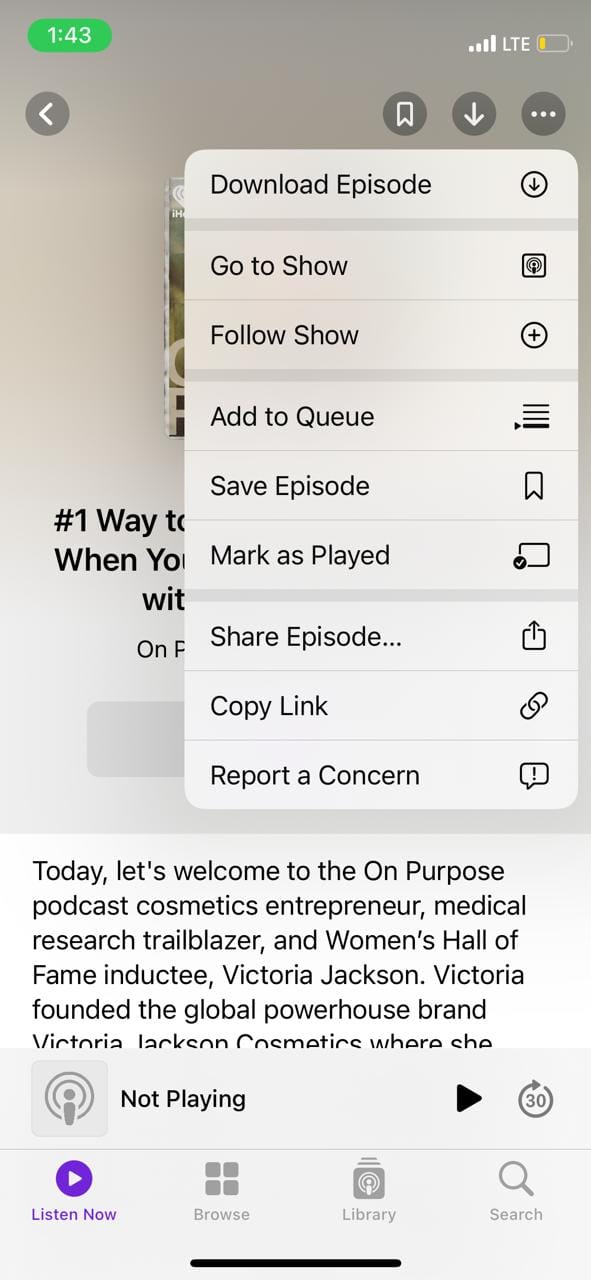
- Step 3 - Open the menu and click on "Copy Link"
- Step 5 - Pro Tip - Take a screenshot of the Podcast Cover
- Step 6 - Go to Instagram and go to your story section
- Step 7 - Go to "Create" or Select the Podcast Cover
- Step 8 - Click on the Sticker menu and search for "Link"
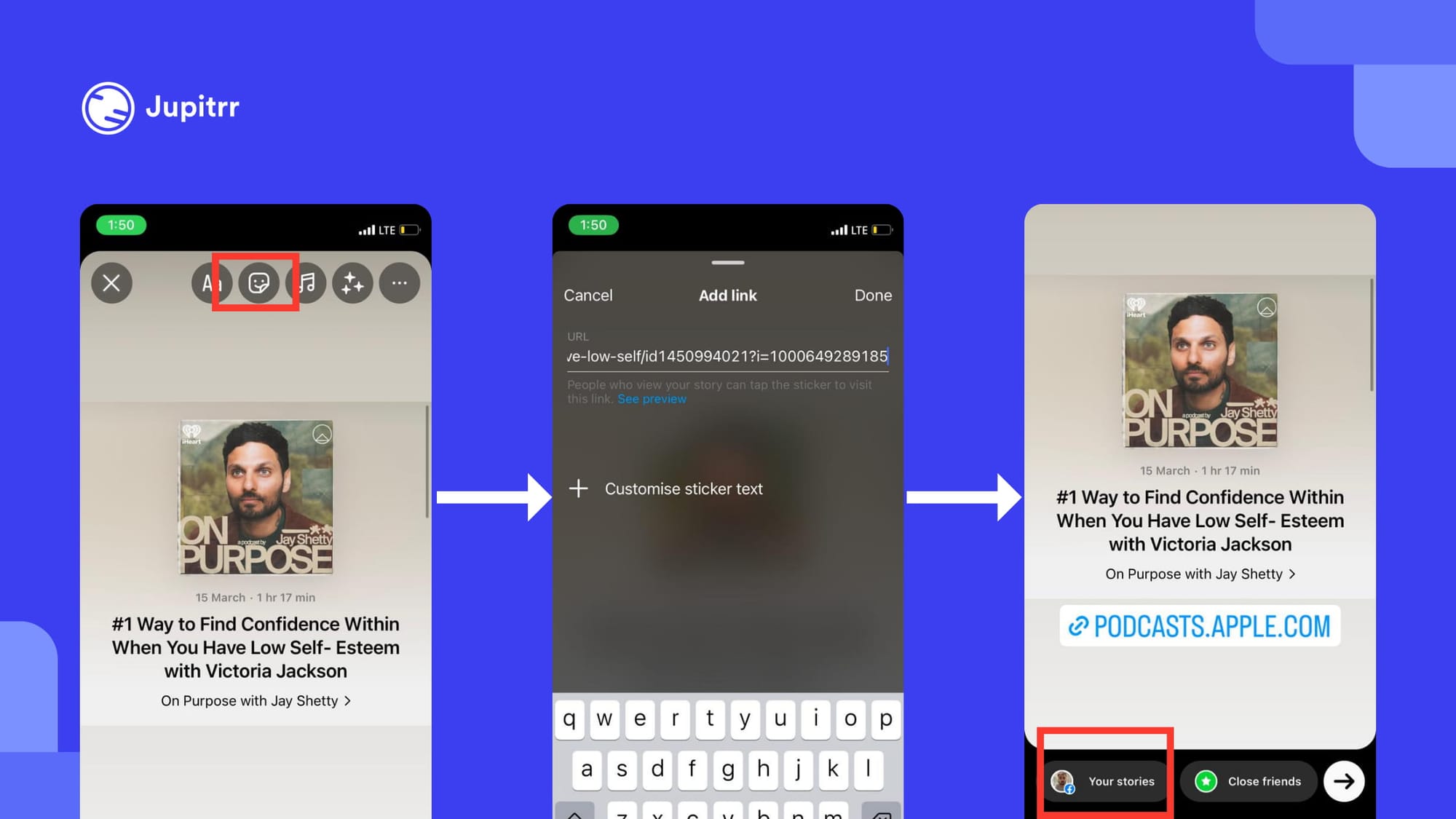
- Step 9 - Paste the link you have in your clipboard
- Step 10 - Edit the story as per your preference
- Step 11 - Click on "Your Stories"
Your podcast link will be shared with your followers on your Instagram Stories.
While sharing like this is the easiest way to share your podcast on Instagram story, it's not the best. There is a better way to share your podcast on Instagram.
Best Way to Post Podcasts on Instagram
Turn audio into video with Jupitrr AI
To create an engaging and visually appealing way to share your podcast on Instagram, converting audio into video is a game-changer. By transforming your podcast episodes into captivating videos, you can effectively grab the attention of Instagram users and encourage them to listen to your content.
How to Convert Audio into Video
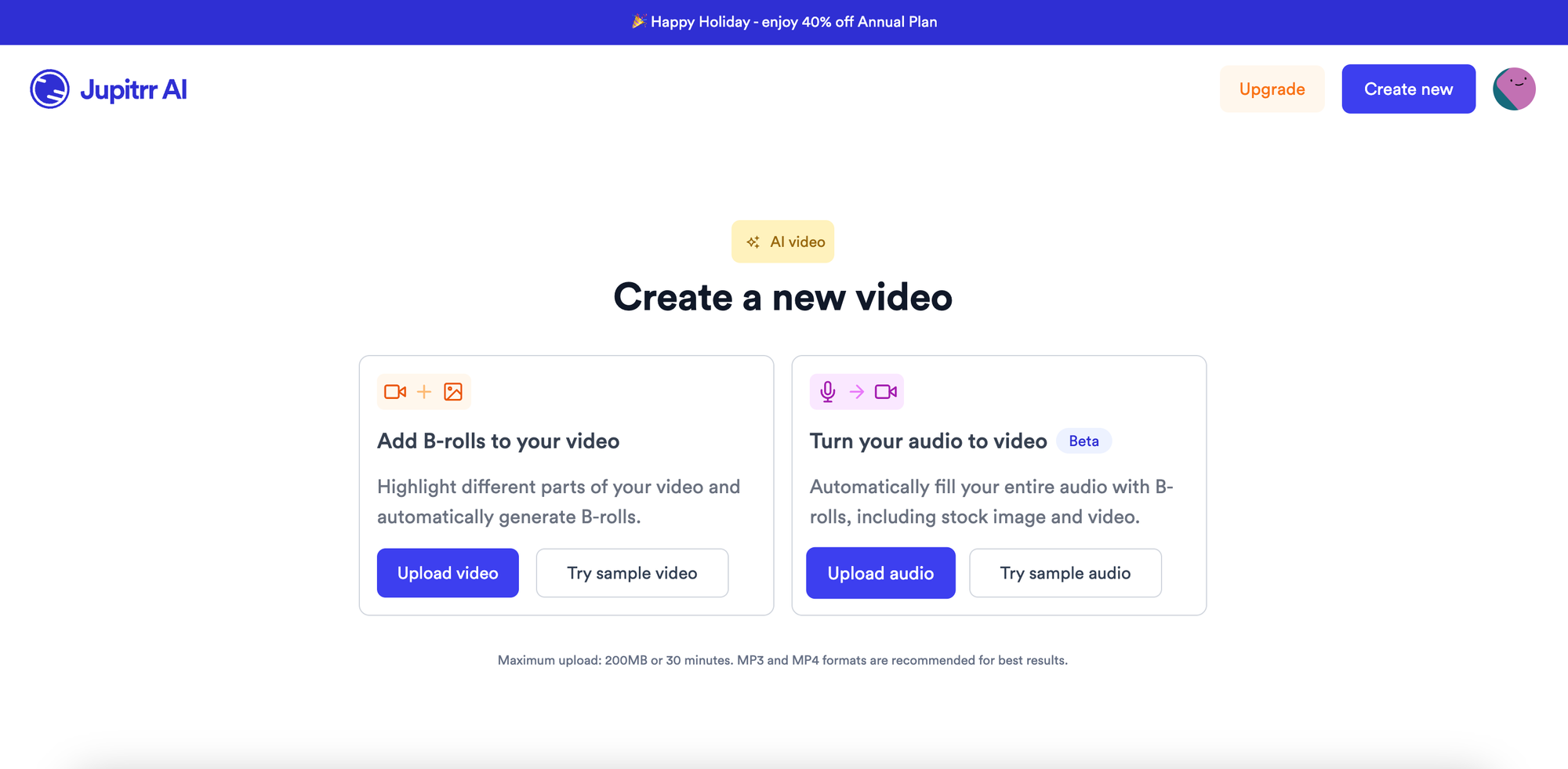
One of the easiest ways to turn your podcast audio into video is by using tools like Jupitrr AI. This platform streamlines the process:
- Upload your podcast audio on Jupitrr AI
- Modify the b-rolls as you need
- Choose visuals from the library, or upload your own.
- Customize with text, subtitles, and visual effects.
- Export your video and share it as a post or story on Instagram.
How to Share a Podcast to Instagram on Post?
Here is a step-by-step guide to sharing your podcast on Instagram as a post or story like this:
Method 1: Turn Audio into a Video
In the generation of AI, you can turn your audio into a video and share the podcast on your Instagram Post or even story. To convert your audio into a video:
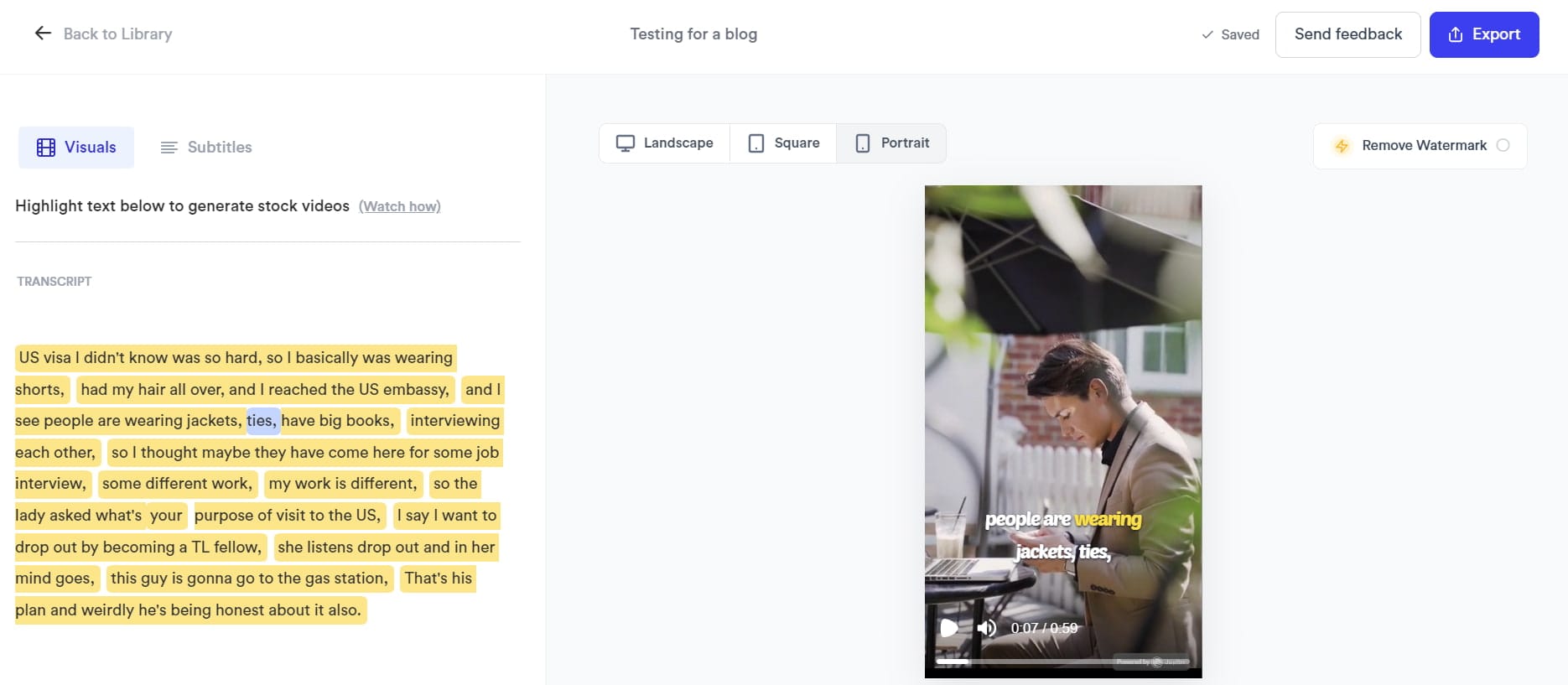
- Go to Jupitrr AI Video
- Upload your Audio
- Highlight the text and click on "Generate video"
- It will automatically add different videos for the different parts of the audio
- Export the video and share it on your Instagram Post
Method 2: Create an Audiogram
Youtuber: Ali Abdaal
1. Visit Jupitrr.com
Jupitrr AI helps creators generate audiogram videos that feature a snippet of their podcast audio, with customizable fonts, waveform visualization, and captions. After landing to the page, click 'Create yours now'.
2. Upload the audio
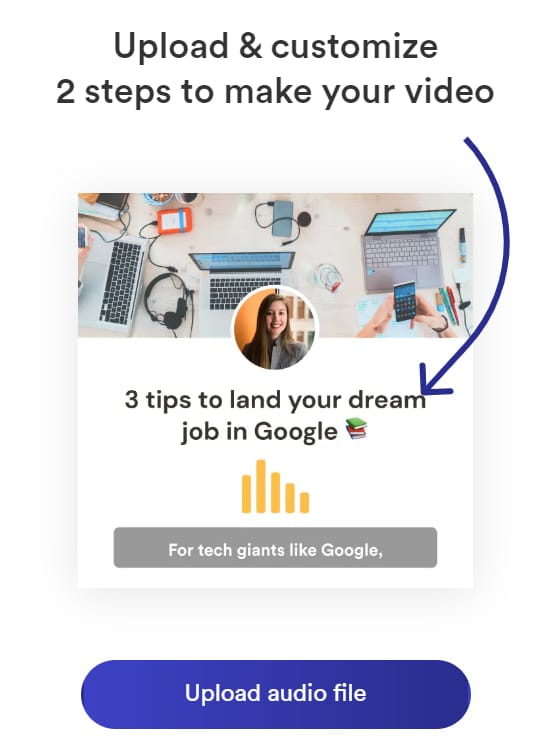
3. Pick Templates and customize!
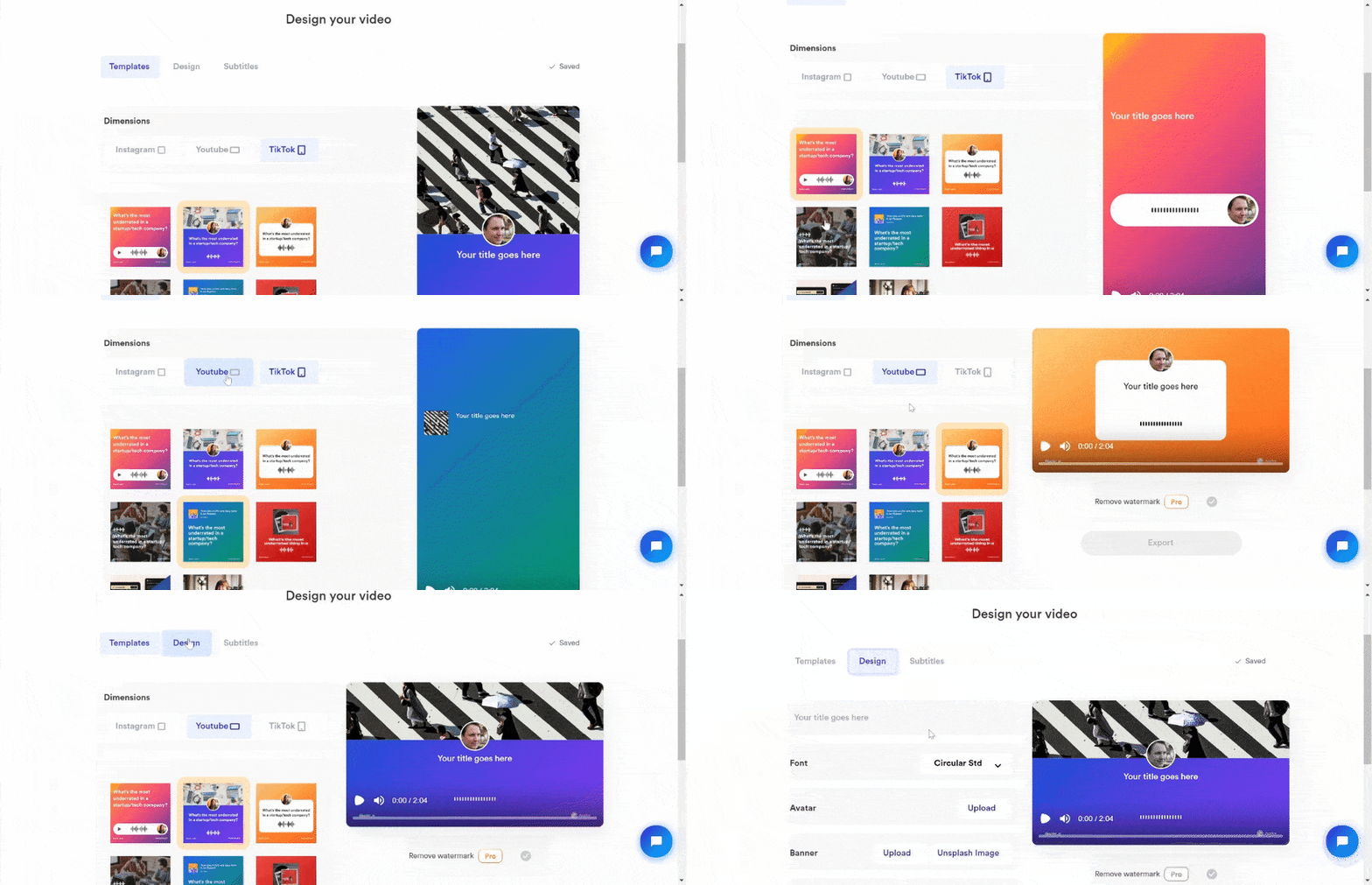
There are 3 tabs in the audiogram creation process:
- Templates: where you can pick the dimension of the audiogram as well as the design of it
- Design: here you can customize your title, font style, avatar, banner image, background color and text color!
- Subtitles: AI-generated subtitles are ready for you. You may freely change them at your own will.
4. Export and Post Audiogram Videos on Instagram
Finally, export your video!
Create a new Instagram post or story by selecting the audiogram video from your camera roll.
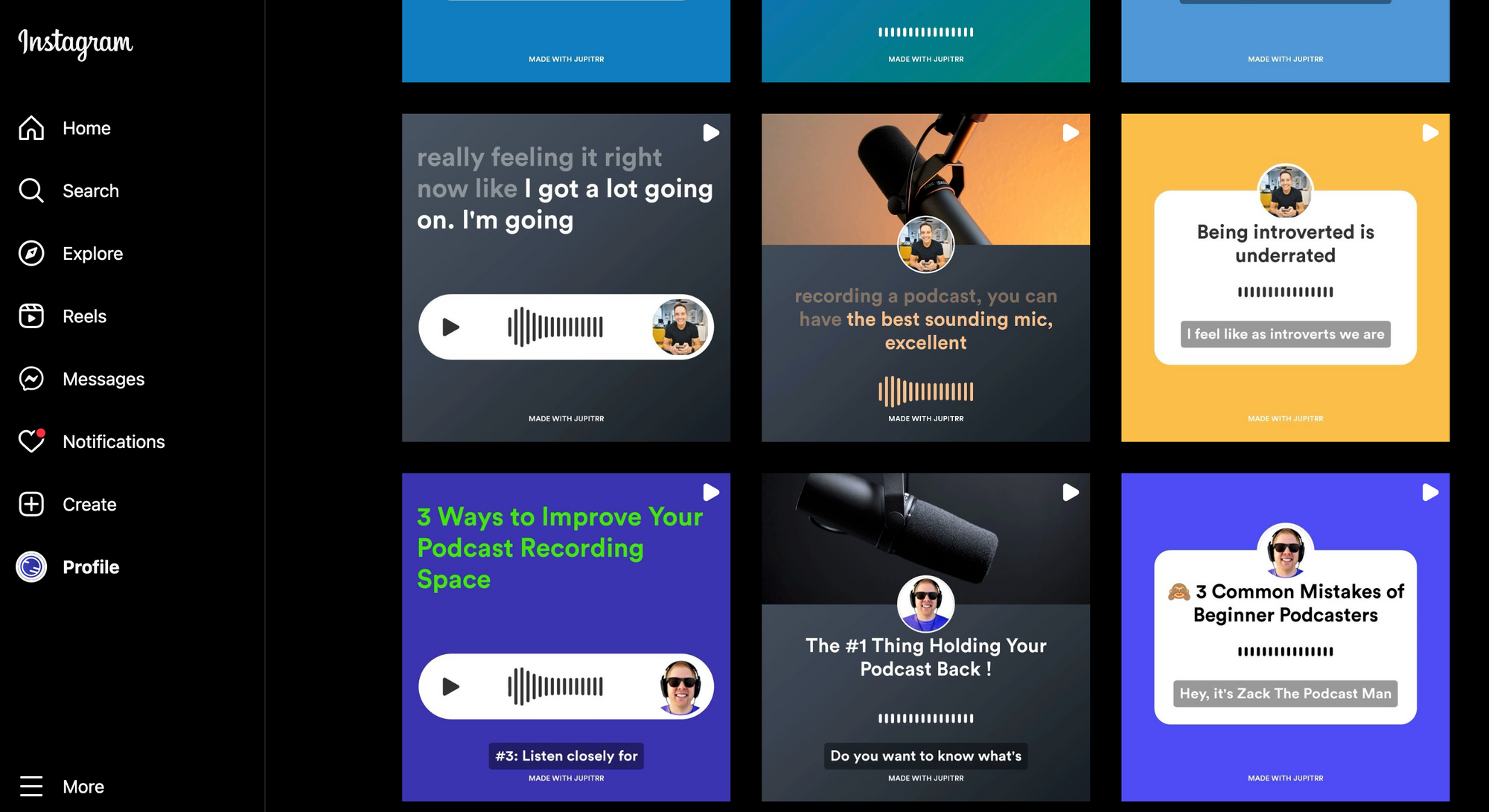
How to Use Instagram Reels to Promote Your Podcast
Instagram Reels is an excellent tool for promoting your podcast creatively and effectively. By turning your podcast audio into short, engaging videos, you can captivate your audience and drive more traffic to your episodes.
Jupitrr AI make this process simple, allowing you to convert audio into visually appealing videos with B-roll footage and subtitles. Reels give you the opportunity to feature the best moments from your podcast, accompanied by visuals that enhance the message and grab attention.
Steps to Promote Your Podcast with Instagram Reels:
- Turn Audio into Video: Use Jupitrr AI to upload your podcast audio. Highlight the most impactful moments and convert them into a video format.
- Add Engaging Visuals: Select or upload B-roll footage that aligns with your podcast's theme or message. Jupitrr AI provides easy options to customize visuals.
- Highlight Key Takeaways: Include short clips with key quotes, funny moments, or compelling hooks from your episode to entice viewers.
- Include Subtitles: Many Instagram users watch videos without sound. Add auto-generated subtitles on Jupitrr AI to ensure your message is clear.
- Optimize with Hashtags and Text: Use relevant hashtags, overlays, and text captions to make your Reels discoverable and engaging.
- Call to Action: End the Reel with a direct CTA like "Listen to the full episode on Spotify/Apple Podcasts."
By creating short, impactful clips and leveraging the visual appeal of B-roll footage, you can ensure your podcast stands out in the fast-paced Instagram feed, reaching a broader audience with ease.
More Tips on Podcast Promotion on Instagram
If you have ideas other than making an audiogram, here are some tips you need to know:
- Collaborate with Other Podcasters: Collaborate with other podcasters to reach a wider audience and build your network.
- Host Contests and Giveaways: Host contests and giveaways to encourage engagement and reward your followers.
- Use Eye-Catching Graphics: Use bright and bold graphics to catch the attention of your followers.
- Share Teasers: Share teasers of upcoming episodes to build excitement and anticipation.
- Share Clips: Share short clips from your podcast to give your followers a taste of what they can expect.
- Go Live: Host live Q&A sessions or interviews with guests to engage with your audience in real-time.
- Use Instagram Reels: If you're already sharing podcast clips or learning how to share a podcast to Instagram story, use Instagram Reels for additional reach.
- Share Behind-the-Scenes Content: Share behind-the-scenes content to give your followers a glimpse into the making of your podcast.
- Use Instagram Ads: Use Instagram ads to reach a wider audience and promote your podcast.
- Consistency is Key: Consistency is key for those exploring how to share podcasts on Instagram regularly.
Final Words
Sharing your podcast on Instagram can be a great way to reach a wider audience, increase engagement, and promote your content.
By creating audiogram videos, using hashtags, and engaging with your audience, you can build a loyal following and grow your podcast audience. So get creative, have fun, and start sharing your podcast on Instagram today!