How to create Animated Text Audiograms?
Step-by-step guide on How to Create Animated Text Audiogram Videos?

Having subtitles is a key component of an engaging audiogram video, but what can you do if you want to take it up to the next level? Adding animated text to your video helps keep your audience engaged.
In this article, you will find a new and easiest way to add animated text to your audiogram video.
Having subtitles is good, but having animated subtitles is even better.
What are Animated Text Audiograms? 💬
Animated text audiograms (aka Animated text videos) just like any audiogram that supplement your audio with waveforms, subtitles, and custom designs, with an emphasis on animating the subtitles of the video.
What do Animated Text Audiogram Videos look like? 👀
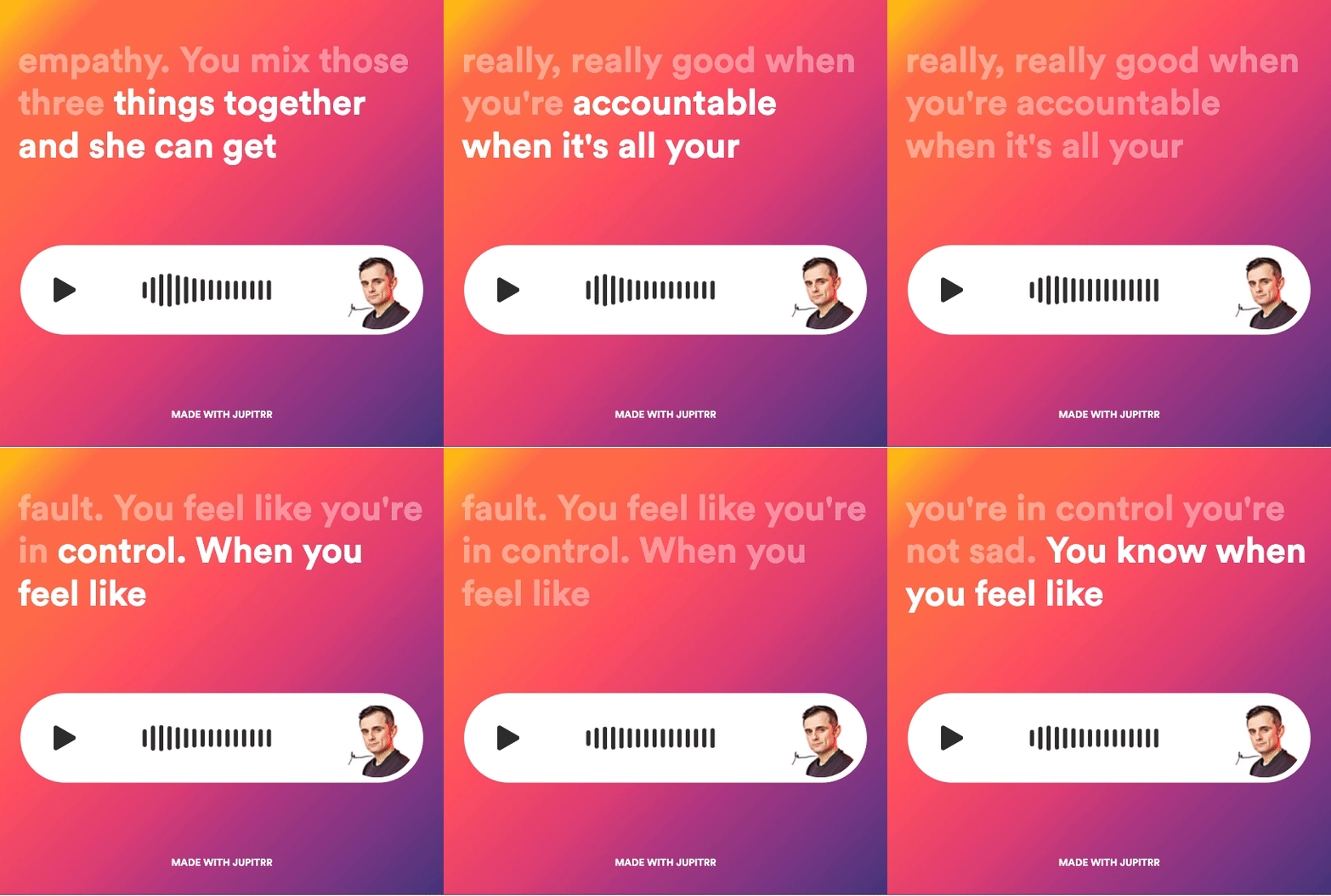
This is an animated text audiogram example created by Jupitrr featuring GaryVee.
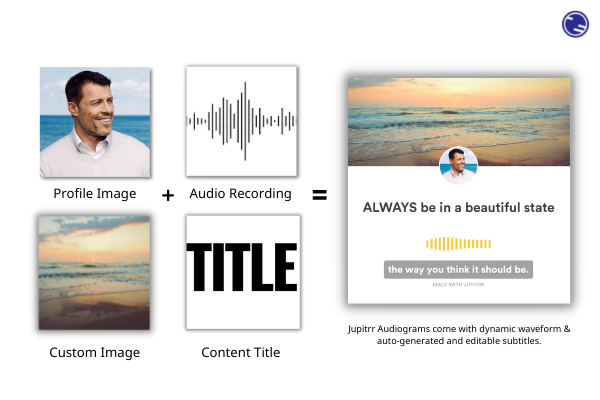
Audiograms are posts with the subtitles or captions of your audio podcast with a waveform which follows the audio's pitches. This gives a nice animated effect to the audiogram.
No matter whether your audience has their volume turned up or not, they can follow along with your audio while listening to your content.
How can you create an Animated Text Audiogram? 🛠
To create an animated text audiogram, you can either use a professional video editing tool or an online audiogram generator.
Professional video editing software can be a powerful solution that offers micro-control over every detail of the video. However, professional video editing tools often come with a steep learning curve and a sizable financial and time investment before you even get your first output.
An alternative to mastering a professional video editing tool is to simply utilize an online audiogram tool. You can generate a well-designed, customized audiogram from scratch within minutes for free.
Sounds good? Let me walk you through how to do it 👇🏻
Creating Animated Text Audiogram with Jupitrr ✅
Jupitrr offers a wide range of features for your audiograms, including dynamic waveform, background imagery, custom colors, various audiogram templates, and most importantly, animated text captions. With Jupitrr's audiogram generator, you can easily create a shareable video with animated text with a few clicks.
You can create your own Audiogram with Jupitrr with 3 simple steps:
1. Upload your audio recording
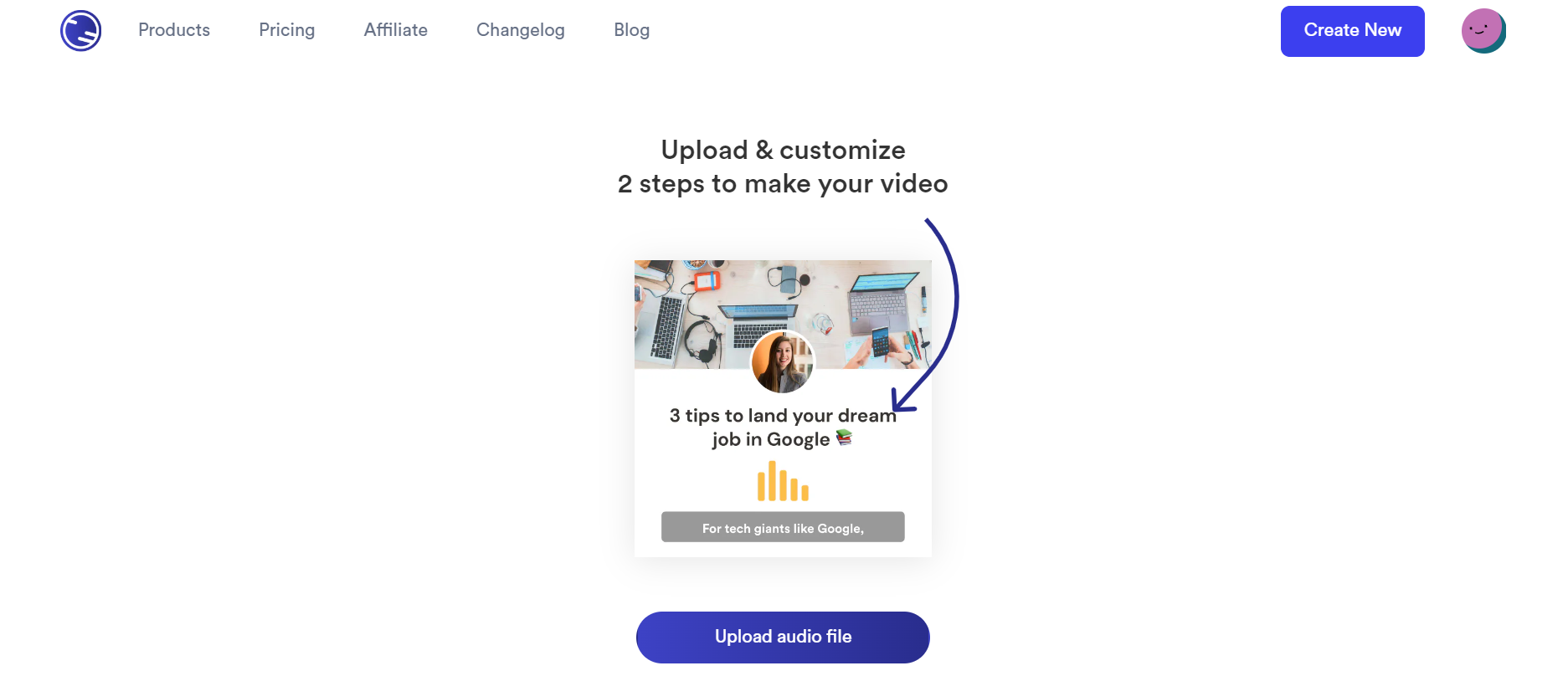
2. Add your title
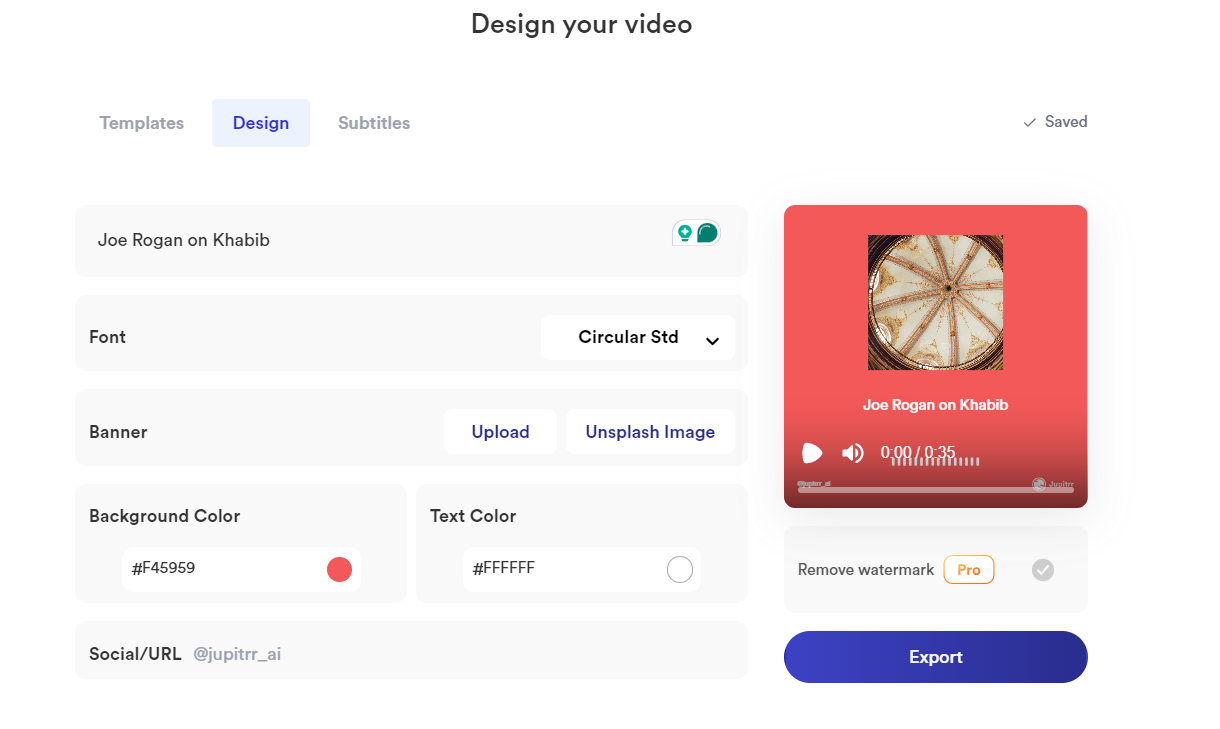
3. Customize the design of your audiogram
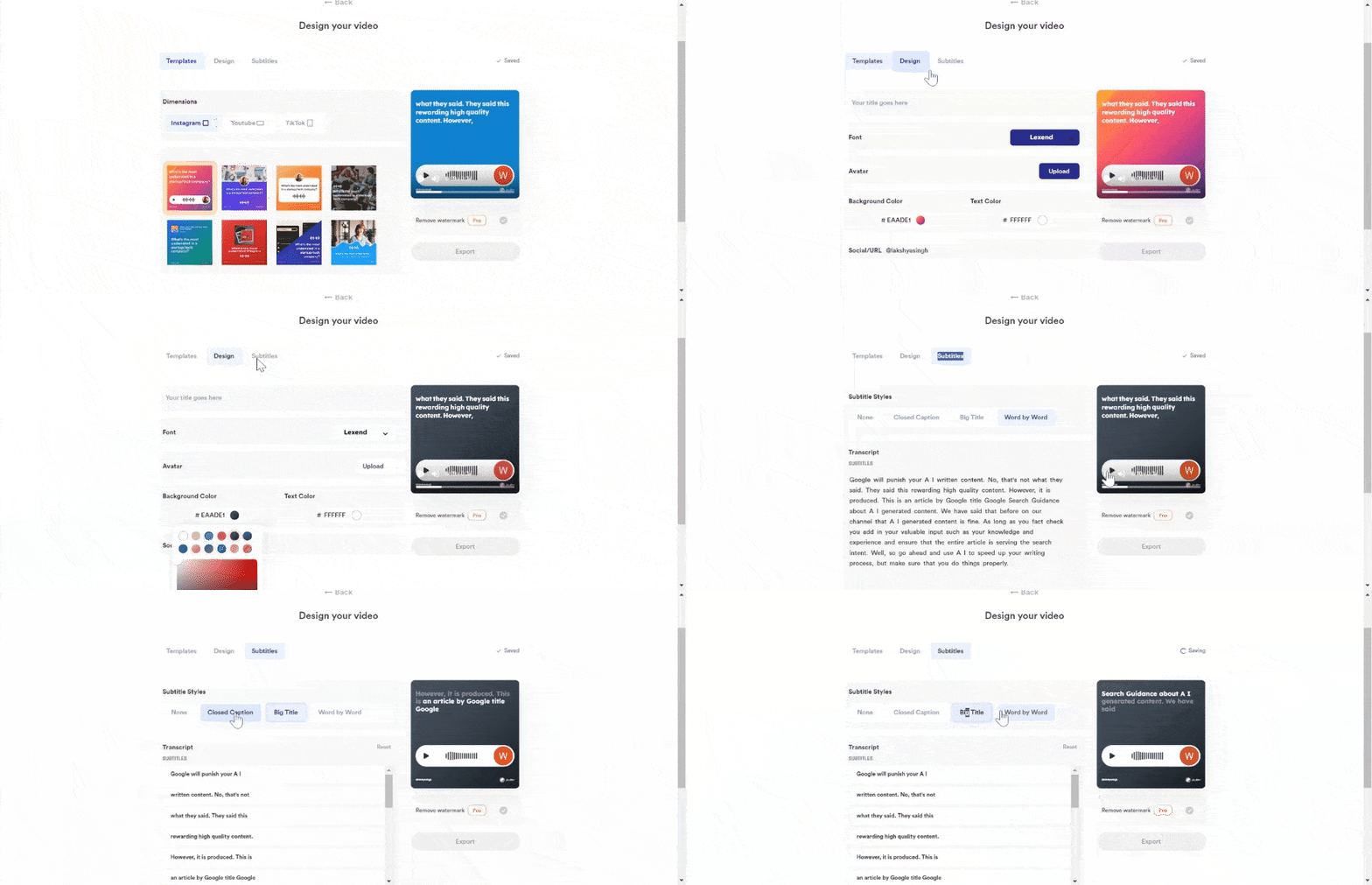
Choose from one of Jupitrr's Audiogram templates that comes with a range of features, including:
- Various well-designed Audiogram templates ✅
- Customizable imagery and brand colors 🎨 (With Hex Color Codes 🙌🏻)
- Auto-generated, animated, and editable subtitles 💬
- Dynamic Waveform 🔉 and more.
4. Enable animated subtitles for your audiogram
According to studies, 85% of social videos are viewed muted, making it crucial that your audience can view your content without turning up their volume. (Let's be honest, we don't always have our headphones with us)
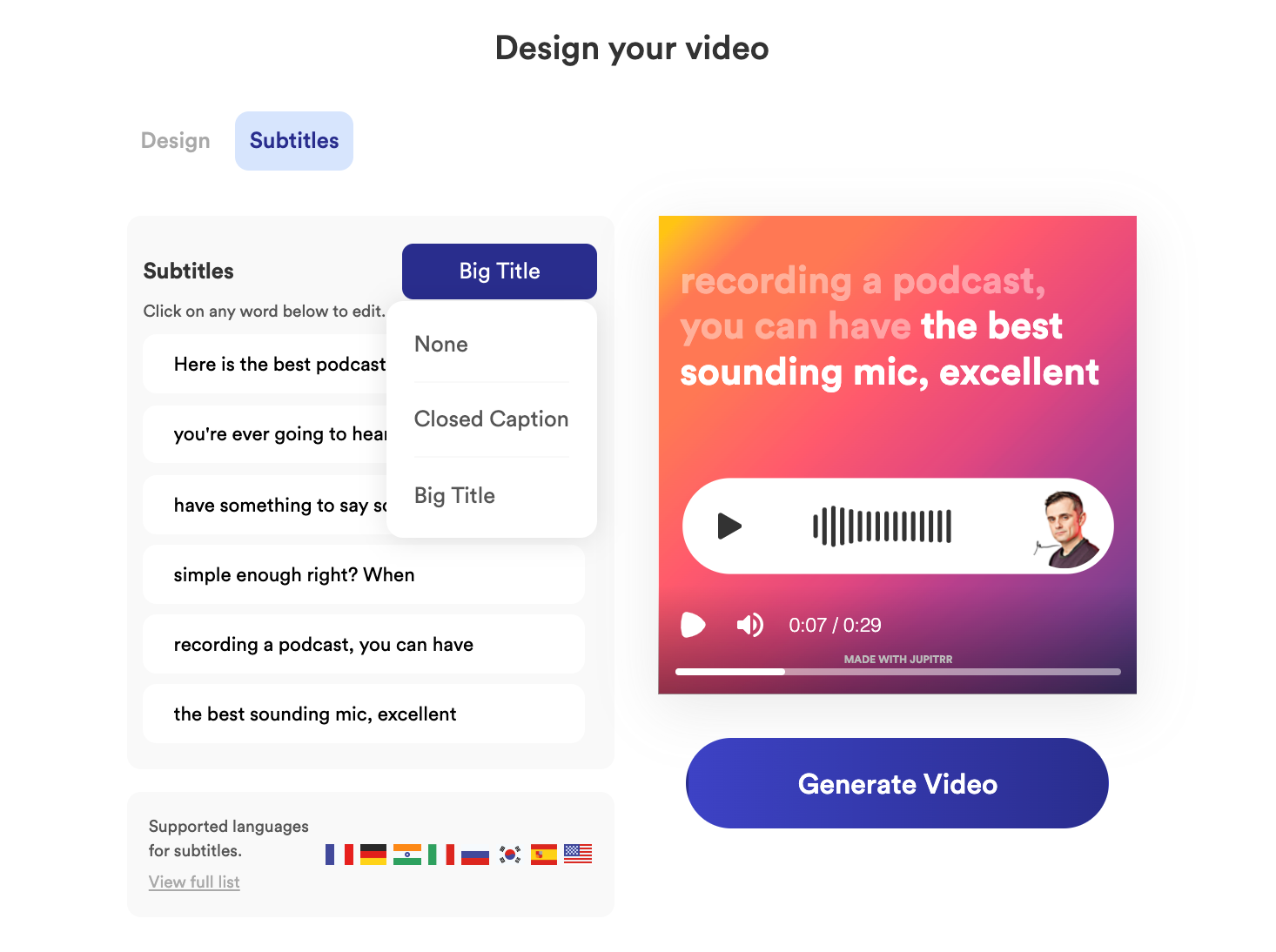
Having subtitles is good, but having animated subtitles is even better.
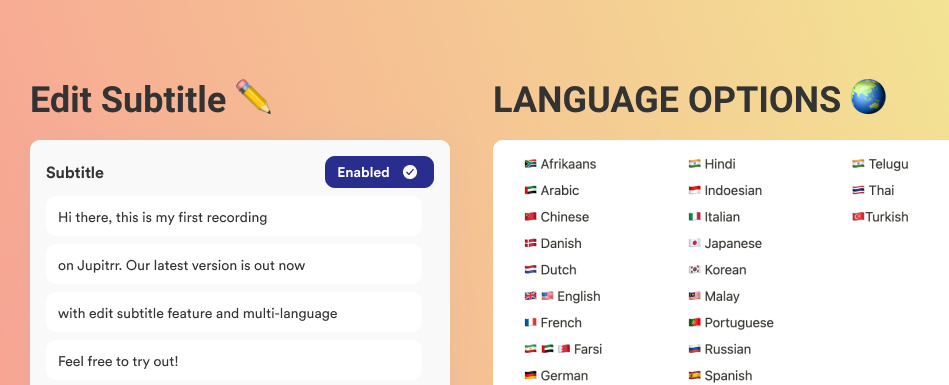
Jupitrr provides auto-generated subtitles for 20+ languages for your audio. Your subtitles are 100% editable to ensure accurate transcription, you can freely change the transcript as you please, update the spelling of your brand (We get it, Jupitrr vs Jupiter, yea that's tough), edit out transcription errors, and more.
Once you're happy with your audiogram, Jupitrr converts it into a downloadable file ready to be shared across your social media.
You can start creating your very own animated text video directly from your browser, for free, within a few minutes.
Final words
Animated Text Audiograms are a great way to share your audio content.
If you want to creat attention grabbing audiograms, try out the Jupitrr's Audiogram Templates that are also customizable.
Thousands of our users are already using Jupitrr to create animated text audiograms.
Wondering how to create an audiograms?
Check out our guide on audiograms.