How to download Subtitles from YouTube?

There are many creators who need to download the subtitles of a YouTube video to create content based on it.
If you are one of them and struggling to download YouTube subtitles, we brought some updated and innovative solutions in this blog which will make it easy to download the subtitles from any YouTube video.
However, we need to bust the myth first. Many blogs mentioned that you can download subtitles directly from YouTube. So, we will first see if it is possible or not:
How to Download subtitles from YouTube Directly?
Downloading the subtitles or the transcription directly from YouTube is not possible now.
Earlier, YouTube used to let you see the transcription of the video through the subtitle file which you could also copy. However, now, YouTube has removed the option.
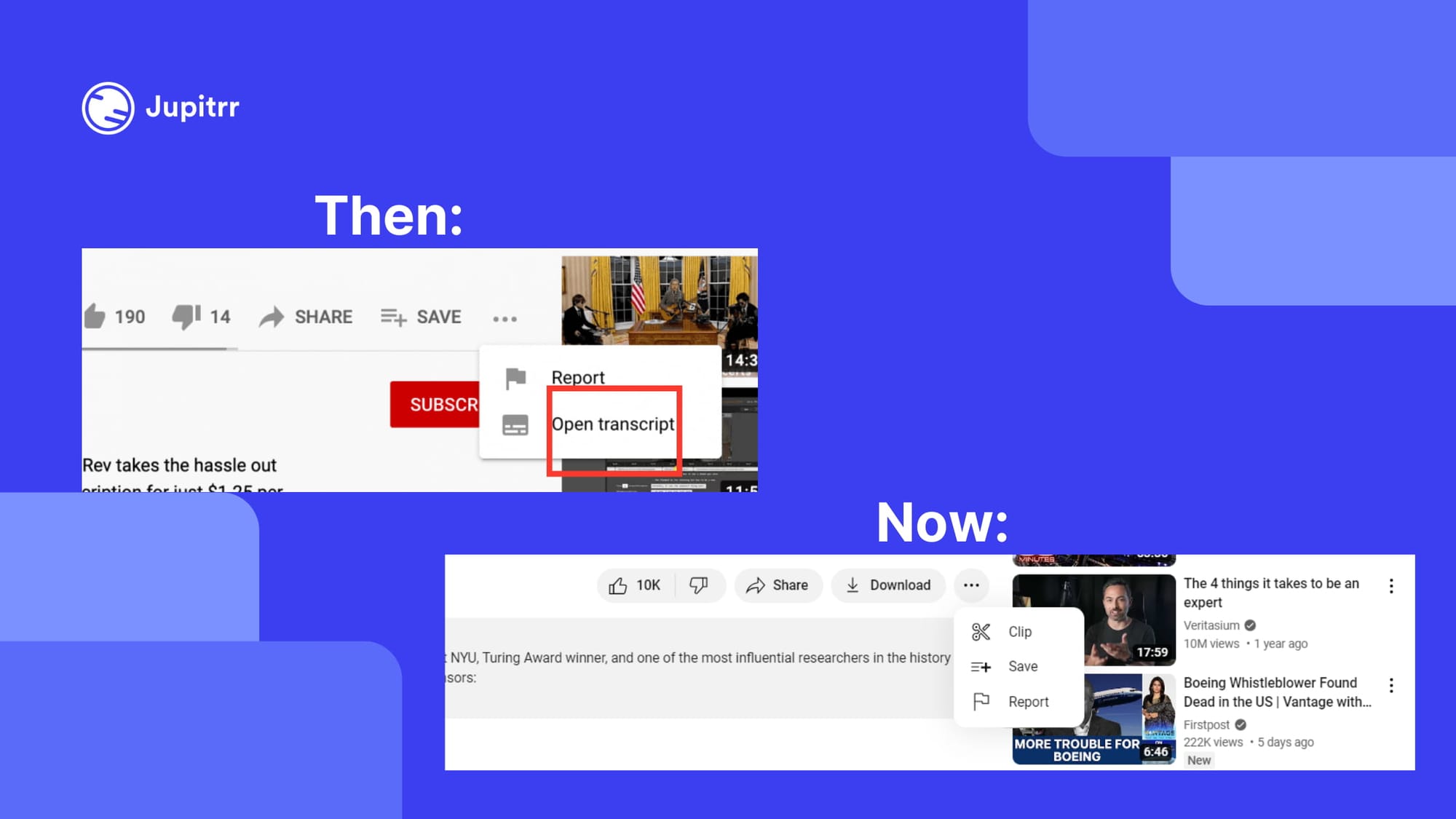
Hence, it would be a waste of your time to try downloading subtitles directly from YouTube.
Another way to download subtitles from YouTube videos is by using a video editing tool like Jupitrr AI, which can generate subtitles for any given video in most languages.
How to download subtitles from YouTube using Jupitrr AI?
While Jupitrr AI is used for adding B-rolls, creating audiograms and generating video from audio, it can also be used to get the subtitles of a YouTube video. To download subtitles of a YouTube video using Jupitrr AI, follow these steps:
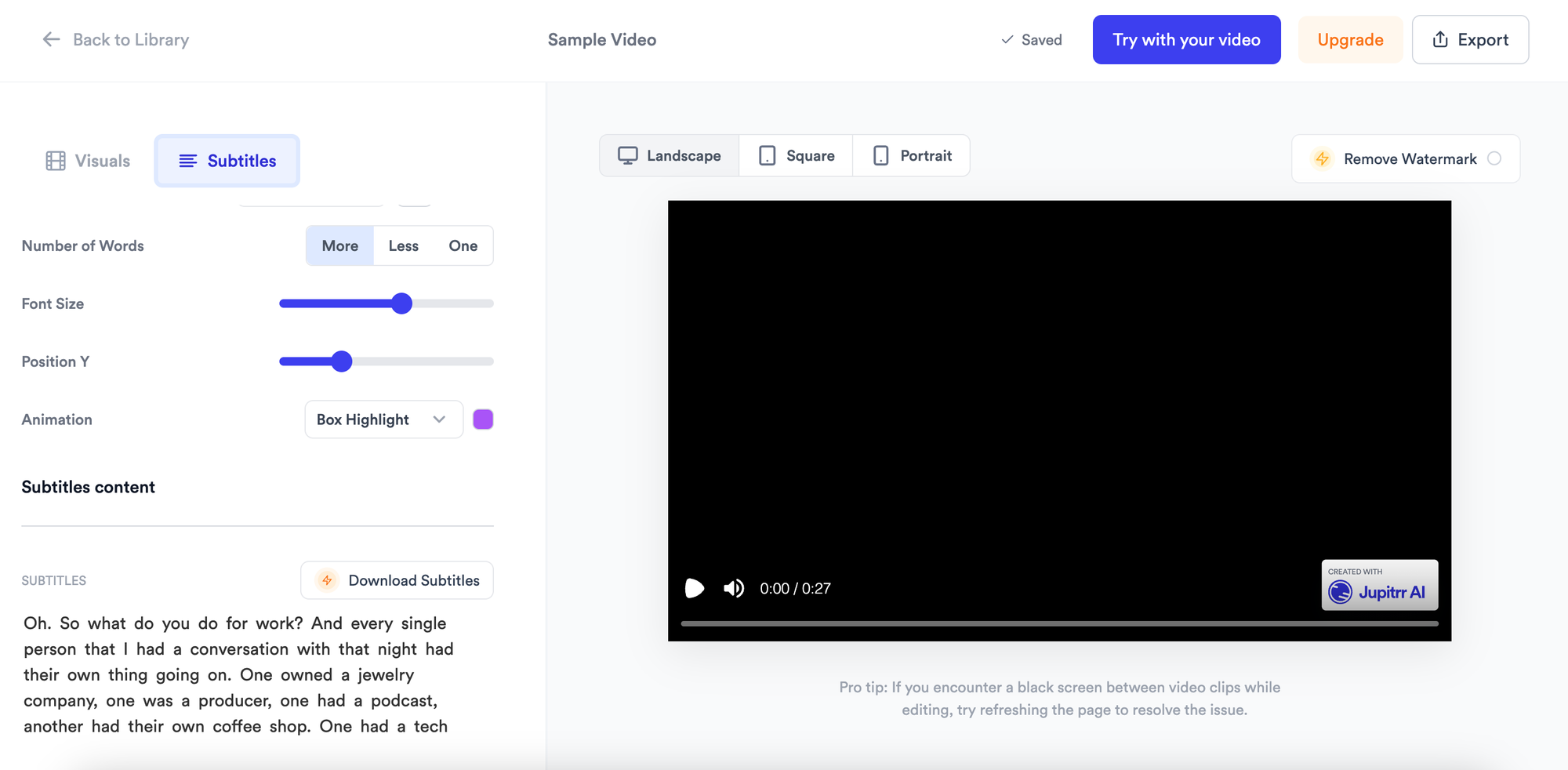
- Upload the video
- Jupitrr AI will generate the subtitles of the video in the audio’s language
- Go to Subtitles
- Click on "Download Subtitles
- Select the type of subtitle file you prefer
- .srt
- .txt
- copy to the clipboard
- Click on "Download"
Pro tip: Save the file in ".srt" format to use it in any video
If you want to make them open captions, you can simply select the caption styles and the subtitles will be added to the video.
You can also generate videos and images based on the subtitles in Jupitrr AI.
Other ways to Download Subtitles from YouTube Video
If you want to extract the exact subtitles from the YouTube video, you can also use other tools like:
- Downsubs
- Savesubs
- Checksubs
- Subtitlevideo.com
You can also use these Chrome extensions if you need to download the subtitles frequently for work:
- YouTube Subtitle Extractor
- YouTube to Text
Final words
Downloading subtitles from a YouTube video is not a tough nut to crack. The easiest way to do so is by using Jupitrr AI. And the best thing is, Jupitrr AI is free to use and much more accurate than any other AI subtitle generator.