How to get more Views on YouTube Shorts?

Being a YouTube Shorts creator is not easy. While long videos create more brand value, you do not have enough time to do that in shorts.
However, the potential is enormous—YouTube Shorts now boasts over 2 billion monthly active users, a massive leap from 1.5 billion in 2022. With more than 70 billion daily views and the highest engagement rate of 5.91% per video, surpassing TikTok and Instagram Reels, it's clear that YouTube Shorts is a growing powerhouse for creators and businesses alike.
In fact, 43% of advertisers have adopted YouTube Shorts into their strategies, with many citing it as their most effective tool for ROI.
However, if you are a new YouTube Shorts creator or not getting views even after spending months on it, you need to start optimizing your YouTube Shorts with a well-planned YouTube Shorts strategy right away.
Here in this article, we will tell you 11 tips on how to get more views on YouTube shorts.
But let's start with the perfect length and size of YouTube Shorts.
Perfect Length and Size of YouTube Shorts
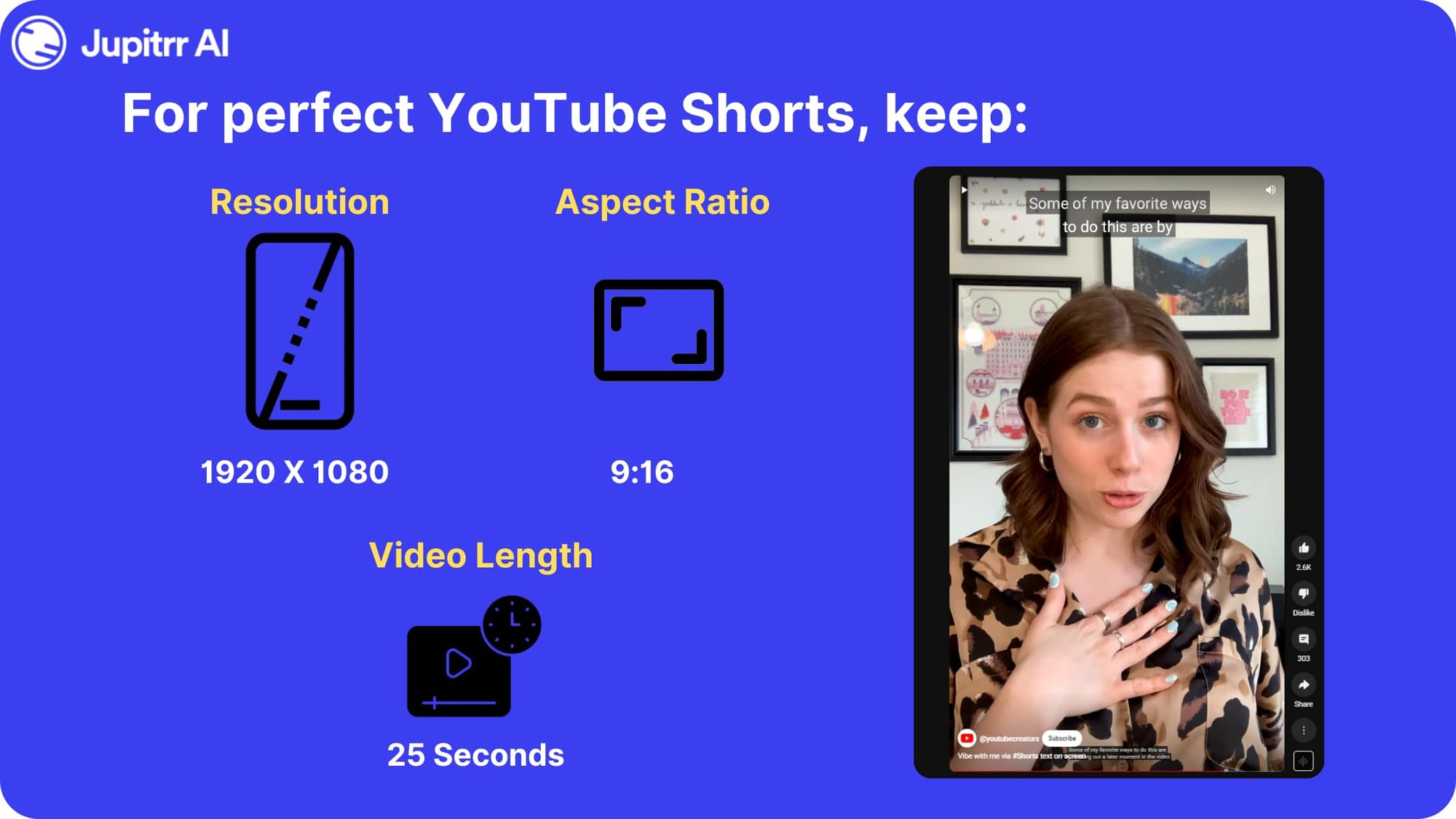
Following YouTube Shorts best practices for length and resolution ensures your content is well-suited for the platform's mobile-first experience. Here's a breakdown:
Perfect YouTube Shorts Length:
- Minimum: 15 seconds
- Maximum: 60 seconds
- Ideal: 25 seconds
While you can technically do anything from 15-60 seconds, the sweet spot tends to be in the middle. Here's why:
- Under 15 seconds: Can feel rushed and incomplete, making it harder to hook viewers.
- Over 60 seconds: Might lose viewer attention, especially for mobile audiences used to quick bites.
- 15-60 seconds: Gives you enough time to introduce a concept, develop it, and leave a lasting impression.
Ultimately, the best length depends on your content and target audience. For example, a funny skit might work well under 30 seconds, while a tutorial might benefit from more time. Experiment and see what resonates with your viewers.
Perfect YouTube Shorts Resolution and Aspect Ratio:
- Resolution: 1920 x 1080 pixels (minimum)
- Aspect ratio: 9:16 (vertical)
These are the standard requirements for YouTube Shorts. Using this format ensures your video displays correctly and takes advantage of the mobile-first experience.
How to get more views on YouTube Shorts?
Here are some tips to optimize your YouTube Shorts and get more views on it-
Optimize Title and Tag
Optimizing your title and tags is a critical part of YouTube Shorts SEO. Using relevant keywords ensures your Shorts are easily discoverable.
Find the best keywords using tools like Ahref, TubeRanker, etc. Once you find the best keywords, include them in your title.
However, try not to exceed 50 characters in the title and keep it concise and attention-grabbing. Using emoji in the title is also a good idea to grab their attention.
Use Subtitles
To grab a mass audience and better your video's SEO, you can add easy-to-read and trendy-looking subtitles to your YouTube short. Here is how you can add subtitles to your YouTube Shorts:
- Sign up to Jupitrr AI
- Go to AI Video
- Upload your video
Jupitrr AI will generate subtitles to your YouTube Shorts using AI. You can then download it and upload it as a YouTube short.
Start with a Hook
Starting with a hook is one of the most effective ways to learn how to get more views on YouTube Shorts. A strong opening keeps viewers engaged and improves retention rates.
To add a hook to your YouTube Shorts, you can start it with a thought-provoking question, surprise the viewer, make them laugh or promise a solution to a problem. Make sure you keep the hook short and punchy and tailor it for your audience.
Add B-Roll Videos
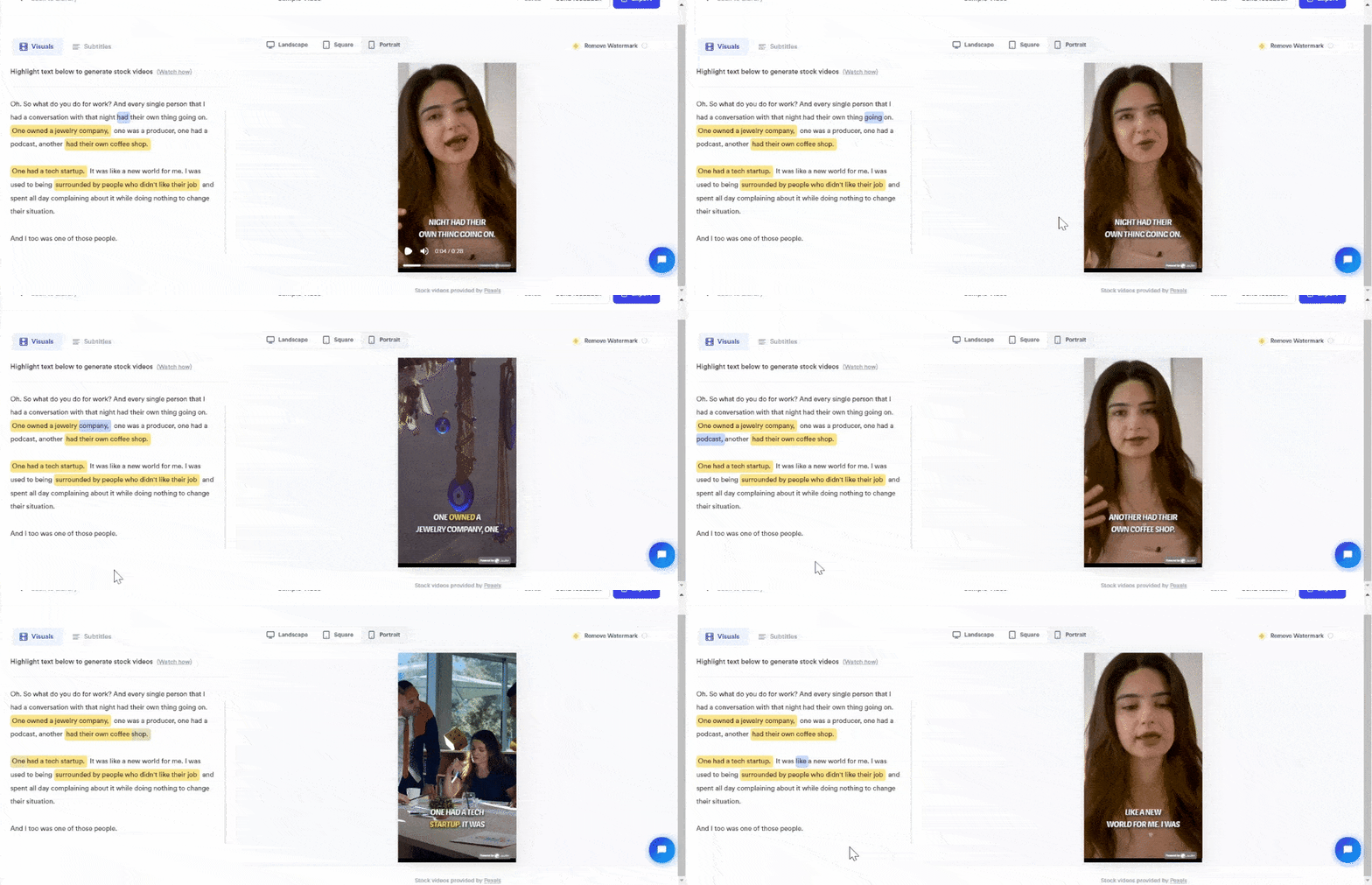
If you are posting a talking head YouTube Shorts, you need to add B-roll videos to it. B-roll videos help to keep the viewers engaged and help them understand the context better. To add B-rolls to your YouTube short:
- Go to Jupitrr AI's Video Generation
- Upload your video
- Select the caption text where you want to add a B-roll
- Jupitrr AI will generate stock footage using AI
- Make changes to it if you want by adding your own prompt
- Download and post it on YouTube
Add a creative thumbnail
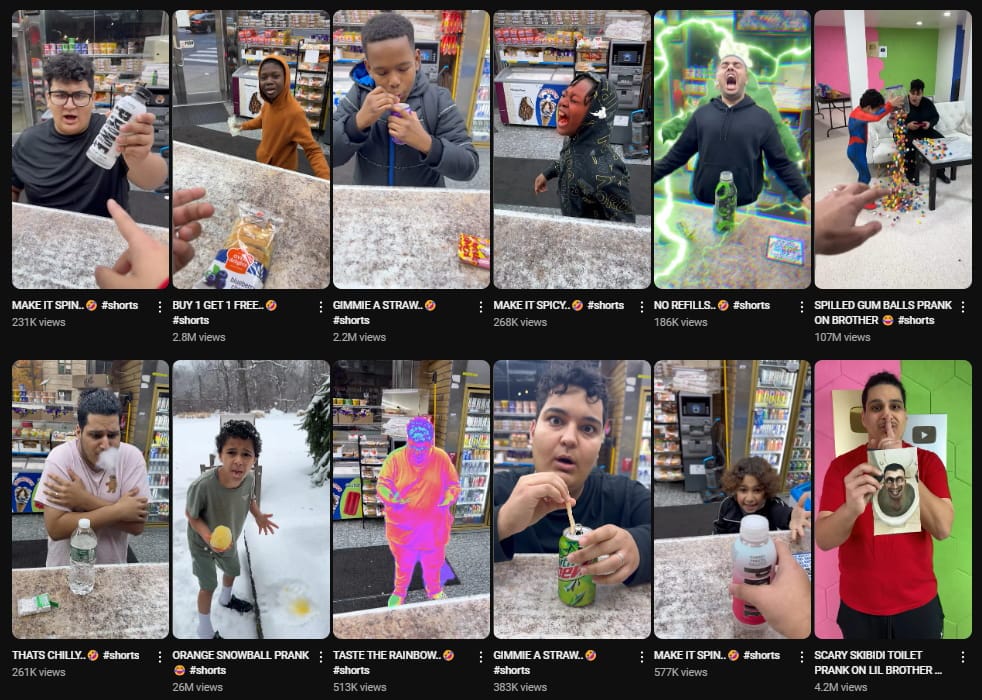
While thumbnails might not matter much for a casual scroller, they sometimes act like a salesman for your YouTube Shorts on the search result page. Creative thumbnails not only capture attention but also play a vital role in how to grow on YouTube Shorts, encouraging more clicks and views.
Trending Music
This channel with over 2 million subscribers used the trending song - "Past Lives"
As a user, I always watch a YouTube Short if it has a piece of trending music or song which I have already listened to on videos or platforms.
Staying updated on YouTube Shorts trends for 2025, including popular music, ensures your content feels relevant and appealing to audiences.
Trending music sends a signal of familiarity to your brain. And even if they don't like the video, viewers will watch the video just to listen to the song. Find out what music is trending on different platforms like TikTok and Instagram. Use that music in your YouTube shorts.
Loop Short Videos
This creative YouTube short by Kavin Parry is the perfect example of a loop video
A loop video in YouTube Shorts is one that seamlessly repeats itself without any noticeable beginning or end. This creates a continuous viewing experience for the user, who might not even realize they're watching the same clip multiple times.
Creating loop videos signals the YouTube Shorts algorithm that your content is engaging, increasing its chances of being promoted in feeds.
This is also a very creative way and might encourage viewers to like, comment, or share your YouTube Short.
Leverage Trends and Challenges
Participating in trends and challenges is a powerful way to increase visibility and engagement for your YouTube Shorts. Trends often dominate the YouTube Shorts algorithm, providing creators with an opportunity to tap into viral content. For example, in 2024, popular trends like "What I Ordered vs. What I Got" have gained traction across platforms, including YouTube, TikTok, and Instagram Reels.
Tools like Google Trends or Trend Hunter can help identify what’s currently hot. Additionally, monitoring YouTube Shorts for emerging challenges allows you to create relevant content that resonates with your audience. By aligning your Shorts with these trends, you can ride the wave of popularity and gain more exposure.
Engage with Comments
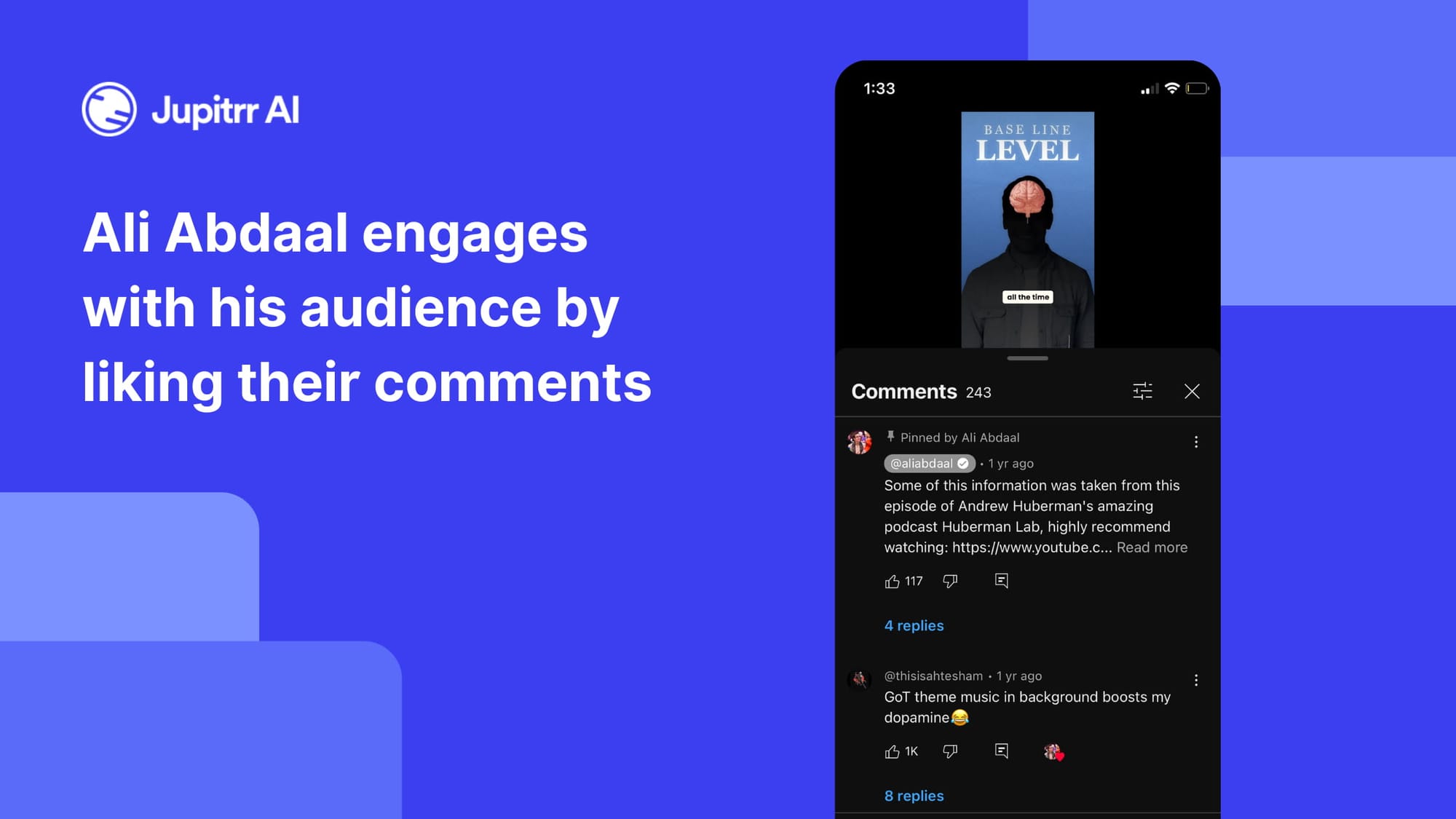
Interacting with your audience in the comments helps build community and boost engagement. Replying to questions or pinning thoughtful comments can spark discussions and encourage more viewers to participate. End your Shorts with a question like "What trend should I try next?" to keep the conversation going and improve your video's visibility.
Share it in your community
If you have a community tab, which is available to anyone with 1000+ subscribers, you should leverage it to increase your views on your YouTube shorts. Moreover, sharing it across different communities including Reddit, Discord, etc. will help you to get more views from your fans.
Promote your own YouTube Shorts
Many times, when you publish something you have put a lot of time and effort in, does not perform well.
If you have a special video, try creating a few more around the same topic. You can then encourage people to check out your special YouTube Shorts.
If you have multiple videos directing the viewers to your primary YouTube Shorts, people are more likely to check out your shorts.
Publish your YouTube Shorts in Parts
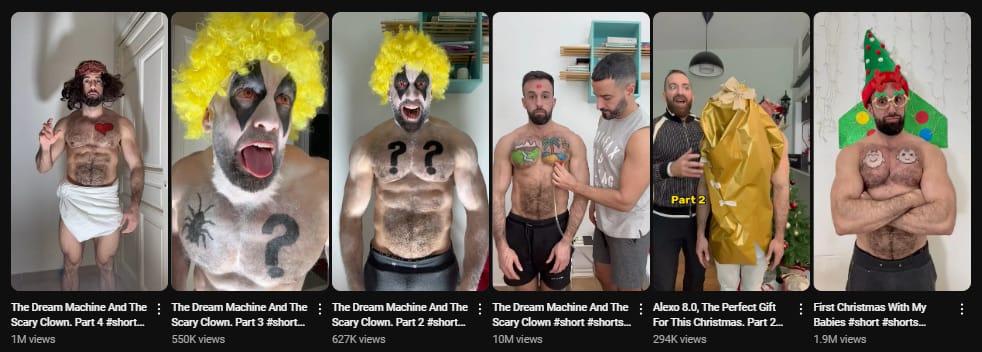
When you publish multiple parts of a video as a series, one of them might get more views.
If you can grab people's attention with any one of them, many of them will visit your channel, which is a positive signal for the YouTube algorithm.
Collaborate and tag other creators
In this YouTube Short, Jonny RaZeR collaborated with and tagged Danno Cal
If you are friends with other creators, try collaborating with them for YouTube Shorts. Don't forget to tag them in your title. This brings a new audience to your video and gets you more exposure. Also, tagging a channel helps to reach the collaborator's audience.
Check Analytics
Make sure you keep checking your YouTube shorts' analytics to find out the patterns. Check out who your audience is, average watch time, engagement rate, featured in feed, channel, etc.
You can make better YouTube shorts if you are aware of your audience.
Post Consistently
When you post consistently, you increase your chances of getting viral and the YouTube algorithm also supports consistent uploads. Set a target for 100 days first and keep uploading even if you don't see any results. Make sure you keep optimizing the short using the methods above.
Final Thoughts
If you optimize your YouTube Shorts with the tips mentioned in this article, you will definitely get more views on your YouTube Shorts. I am very positive, anyone can gain over 100k monthly views if they optimize their YouTube shorts properly.
Don't forget to add stock videos to your YouTube Shorts using Jupitrr AI. It is the easiest AI Video editing tool out there. Give it a try for free.