Talking Head Video: What is it and How to Create one?
The Ultimate Guide to Make Talking Head Videos 5 steps to make immersive talking head videos

If you're an online course creator or coach with an online business, you're probably already familiar with the power of video content, especially when using talking head AI to create engaging videos.
It's the heartbeat of your online presence, the bridge between you and your audience. But have you considered adding 'Talking Head' videos to your content strategy?
In this comprehensive guide, we'll dive deep into what Talking Head Videos are, why they matter, and how you can create immersive ones that captivate your audience.
What is a Talking Head video?🚀
Talking head videos are a format where the speaker addresses the audience directly, often with minimal background or additional visuals, making the speaker the focal point of the content. No flashy animations and effects – just you, your message, and your audience.
The camera typically frames the person from the chest or waist up, so only their head and shoulders are visible. Talking head videos bring trustworthiness to your videos as people can relate more.
Now, let's unravel the magic behind Talking Head Videos - this simple yet compelling format.
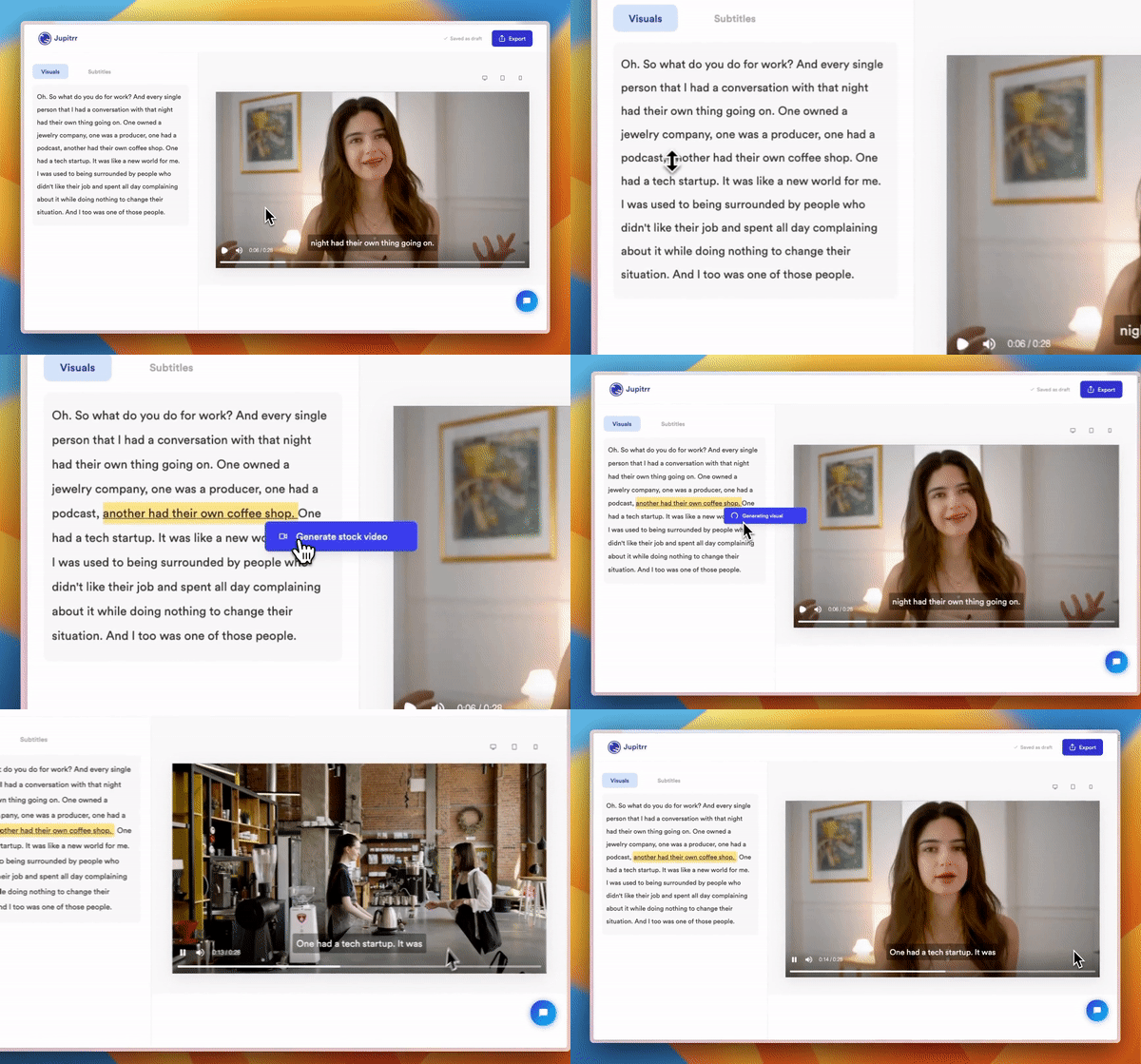
BTW, now with Jupitrr AI, you can add stock videos to your Talking Head videos in a click and make them more captivating for your audience.
Talking Head Video Examples 📺
These creators have utilized the Talking Head Video format and enhanced it with visuals. Let's look into some successful cases:
If you’re a Business Owner:
You want to generate leads for your online business and don’t have a lot of time to edit videos, but you still want to use video marketing to your advantage:
Alex Hormozi- Alex is a well-known creator in the online business space now. In his beginning stages, he used to do a lot of talking head videos which helped him gain initial traction on YouTube.
Alex Hormozi's Talking Head Video
If you’re an Online Coach or Course Creator:
Do you sell online courses? Do you have a mentorship program or a coaching program? You can use talking head videos to get more customers for your courses and students for your mentorships!
Dan Koe - Dan's talking head videos have helped him go from less than 10k subscribers to 350k+ subscribers in less than a year. He also monetised his channel via Online Courses.
Dan Koe's Talking Head Video
If you’re a YouTuber or Social Media Creator
If you want to take your YouTube game to the next level, talking head videos is the way to go. Big creators like Ali Abdaal have been using it for months and years now
Ali Abdaal - Ali’s thought-provoking and in-depth lessons come alive in his talking head videos.
Ali Abdaal's Talking Head Video
These examples showcase the diversity of content and styles possible with talking head videos. No matter if you’re an online business owner with less time, an online coach or course creator or a YouTube creator, you can use talking head videos to accomplish your goals.
Pros of Making Talking Head Videos 🤩
Now, let's understand why adding talking head videos into your content strategy is a game-changer:
1. Authentic Connection
By showing your face and sharing your voice, talking head videos create a genuine and personal connection with your audience.
You'll build trust and rapport naturally, setting yourself apart from the competition. You won’t just be another creator in the ocean of other creators
2. Expert Authority
Become the go-to person in your niche with talking head videos. Your audience will see you as a knowledgeable source of information and come to you for insights and expertise. It's like being instantly seen as the PRO in the room!
3. Enhanced Engagement
Videos grab attention better than plain old text, and talking head videos are no exception.
You’ll be able to keep your viewers engaged and watching for longer, boosting your retention rate. Get ready for fans who keep coming back for more.
4. Versatile Content
You can repurpose your videos across various platforms – from YouTube to social media to your website. One video can become a powerful multi-purpose asset.
Talking head videos give you a massive edge over other creators - repurposing content.
You can repurpose your talking head videos across all your favorite channels, from YouTube to social media to your website. One video, endless possibilities.
You’ll squeeze out a lot of potential from each video you make.
Cons of making Talking Head Videos 😥
There are some downsides to making a talking head video:
1. Monotonous Content
If you are not careful with your talking head videos, they can bore people. The attention span of viewers is getting lower. If you are not able to engage people with your content, they are going to move on to another video.
One way to tackle this is to add B-rolls to your talking head video. B-rolls are the supporting cast to the main footage (A-roll) in video production. They're not the main focus, but their presence enriches the overall story and keeps viewers engaged.
You can now use Jupitrr AI to seamlessly add AI B-roll videos that will make your talking head videos more engaging!
2. Skills Needed
Many people are not good at presentations or comfortable talking to a camera for a long time. You need presentation skills to keep talking to the camera while making the video interesting.
3. Detailing Limitations
If you are trying to explain a complex topic through your video, you cannot just rely on a talking head style.
You need animations, graphs and images to convey the right information to the viewers.
4. Expensive
Creating a good quality talking head video requires proper lighting, equipment, background, audio, etc.
You might even need a team if you are making a professional video.
This all can bring up the price. This can be expensive compared to a voice-over video.
How to Create Talking Head Videos
Here’s how you can create captivating talking head videos in just 5 simple steps to follow:
We will first set up the base for a talking head video, i.e., Preproduction.
Step 1: Scriptwriting
Picture this: You're about to share something cool with your audience. First things first, let's get your ideas flowing. Imagine you're having a friendly chat with a friend. How would you tell them about the idea? That's your script!
Keep your script simple and structured. Think of it as an exciting conversation you're about to have with your viewers.

Step 2: Set the Location and Scene
Make sure your background is free of distractions. And, adjust that camera to eye level, so it feels like you're talking to a friend.
Ever had a friend who's just so lively when they talk? That's the vibe we're aiming for. Maintain friendly eye contact with the camera, as if you're talking to your audience at a conference.
Take your time to rehearse a bit and get comfortable with the camera.

Once the location and scene are set, move on to the production stage. Production involves adding details to your setup and creating the Talking Head Video.
Step 3: Set up Lighting for the Talking Head Video
For optimal lighting in a talking head video, position soft, diffused lights at a 45-degree angle on either side of yourself.
Use key lights for the primary illumination and fill lights to reduce shadows.
Ensure even illumination, avoiding harsh highlights or deep shadows for a professional, well-lit appearance.
Step 4: Setup Camera for Talking Head Video
If you have only one camera device, you should set it up in front of you.
Place it at eye level to capture a natural perspective. Maintain a slight tilt for visual interest. Ensure proper focus, framing the subject with enough headroom and avoiding distracting backgrounds.
Use manual settings for exposure and white balance, and test the setup to ensure optimal video quality before recording.
If you have multiple cameras, you should keep the primary with the same settings and others strategically placed to cover different angles.
Step 5: Start Recording your Talking Head Video
When everything is set, you can start recording yourself. Keep your script handy so you don't miss anything.
You can have multiple takes for a single shot or dialogue (or monologue) so you have multiple variations while editing it.
Make sure there is no sudden background noise while recording. If there is, try recording again so you can keep up with the quality.
And with this step, we reach post-production is the most important part of making any kind of video.
Step 6: Import Talking Head Video Footage and Start Editing
Now when you are done recording your video, you can connect your camera to a computer and import your footage.
You can now start editing your video using a tool like Jupitrr AI.
Jupitrr AI has text-based editing for talking-head videos.
Trim all the scenes you don't need, adjust the audio levels if needed, refine visuals and finalize the footage.
Step 7: Add Music to your Talking Head Video
Talking Head Videos without any background music can feel boring.
Find out nice and soft music to play in your video.
You can also change the music for a more energetic, serious, or emotional tone, based on the parts of your video.
For example, when you are talking about the good part, you can switch to an energetic beat.
This will enhance your talking head videos and keep your audience engaged.
Step 8: Add ️B-rolls / Stock videos in your Talking Head Video
The talking head video is ready but it feels raw. You need to make the video interesting.
A talking head video clip of you won’t be enough. You need to also add in a few more visuals, they are called B-rolls.
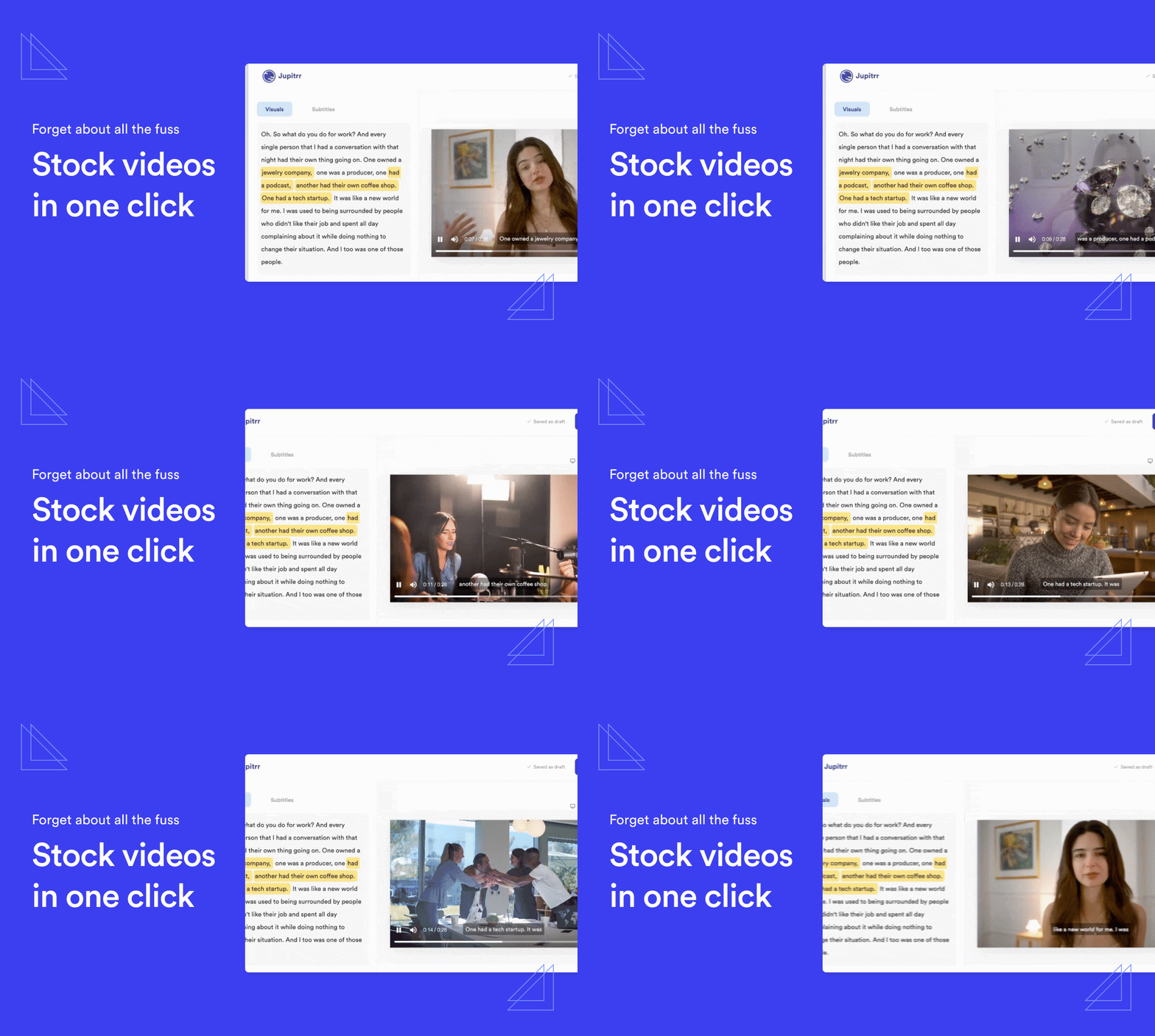
You can use Jupitrr AI to help you add stock images and video footage to your videos.
Simply click on the part of the script where you want the stock footage to appear. And within a few seconds, you’ll get a stock image clip relevant to the script of the video
This will make the video more engaging and keep viewers interested, so they won’t click off the video!
Step 10: Share the Video with your Audience
Now you can export it in a format that suits your audience's taste. Make it easy for them to watch and listen to what you have to say.
Share it on platforms where your viewers hang out – YouTube, social media, or even your website.
By following these steps, you'll be on your way to creating immersive talking head videos that feel like you're speaking directly to your audience.
So, grab your camera, be yourself, and let's have some video-making fun! 🚀
Common Mistakes to Avoid When Creating Talking Head Videos 🚩
Even with the benefits of talking head videos, creators often stumble on avoidable mistakes. Here are common pitfalls to steer clear of:
- Overlooking Script Preparation: Winging it may seem authentic, but it often leads to rambling. Prepare a clear, concise script to stay on track.
- Poor Lighting Setup: Dim or uneven lighting can give your video an unprofessional feel. Use a simple lighting setup for a polished appearance.
- Neglecting Audio Quality: Viewers tolerate average visuals, but bad audio? That is an instant turn-off! Use a decent microphone and minimize background noise.
- Static Presentation: Monotonous tone and lack of expression can bore your audience. Keep your energy up and your delivery engaging.
- Ignoring Visual Enhancements: Relying solely on talking head footage can make videos feel flat. Add B-rolls, animations, or stock footage to enhance storytelling.
- Unprepared Setup: A cluttered background or shaky camera can distract viewers. Ensure a clean, stable setup for professional vibes.
- Skipping Post-Production Touches: Neglecting edits, subtitles, or background music can lead to a dull final product. Polish your video in post-production to maximize impact.
By avoiding these mistakes, you’ll create talking head videos that truly resonate with your audience and enhance your content strategy.
Unlock the Full Potential of Talking Head Videos🚀
A talking head video is a unique content format to level up your video content game. It helps build authentic connections, establish your expertise, and keep your audience engaged.
When you follow these proven-to-work steps, you’ll be able to make your videos stand out and become a trusted creator in your niche
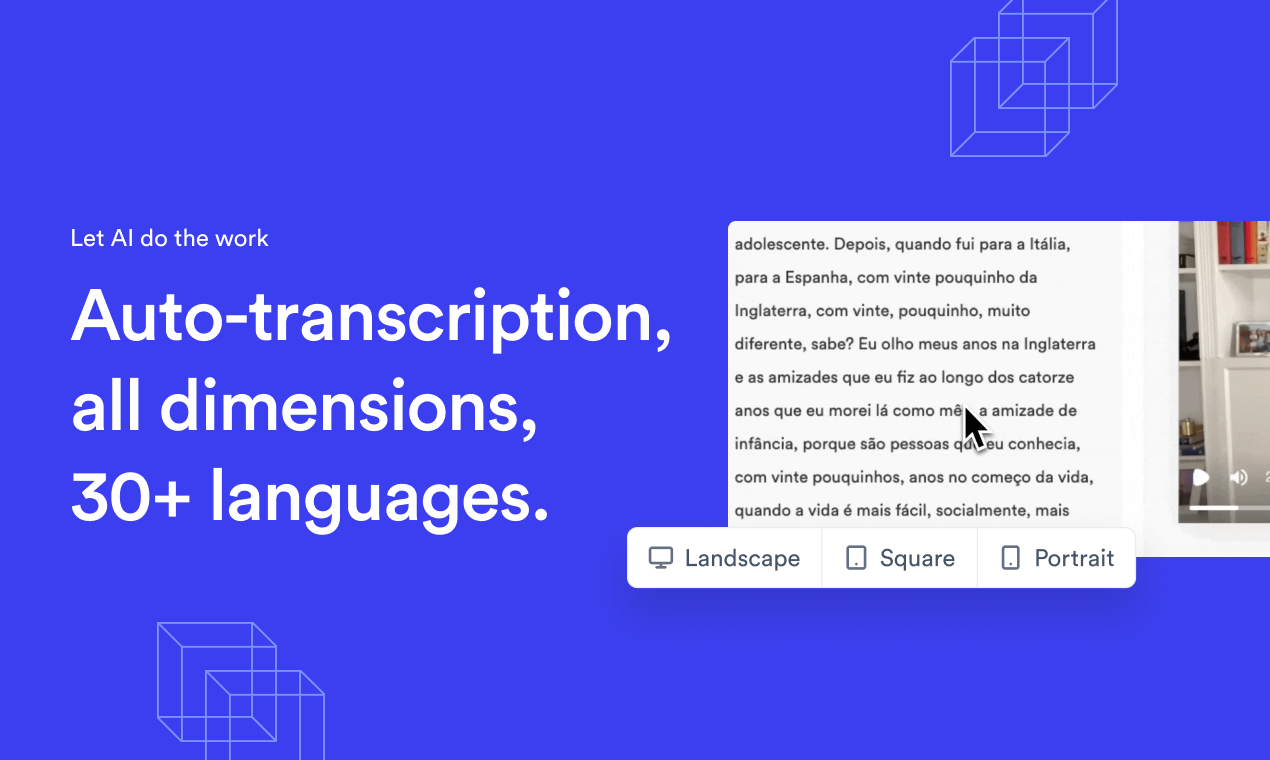
Here’s how Jupitrr AI can elevate your talking head videos to the next level:
- You can easily add subtitles to your videos for wider accessibility.
- You can insert stock videos at certain moments to enhance your message.
- You’ll be able to effortlessly elevate the presentation of your videos, ensuring that your audience stays engaged and informed.
Are you ready to make your videos unforgettable? Get started today!
FAQs on Talking Head Video
What is a Talking Head Video?
A talking head video features a person speaking directly to the camera, typically addressing the audience or presenting information. The focus is on the speaker's face and upper body, creating a personal and direct connection with viewers.
How to edit a Talking Head Video?
Edit a talking head video by trimming unnecessary footage, adjusting audio levels, and refining visuals. Enhance with B-roll videos and images, and add transitions as needed. Maintain a natural pace, ensuring coherence, and export in a suitable format for seamless sharing on all platforms.
What is Text-based Editing of Talking Head video?
Text-based editing of talking-head videos involves modifying the content by directly manipulating or altering the script, captions, or on-screen text elements for enhancement or clarification.
What is an AI Talking Head Video?
An AI talking head video typically involves the use of artificial intelligence to generate realistic and natural-looking videos where a virtual character or digital avatar appears to speak in human-like speech, facial expressions, and gestures to create lifelike talking head videos. These videos are often used in various applications, including virtual assistants, online tutorials, and digital marketing.